
Finding the top rated to do list app is less about collecting the longest feature list and more about matching the tool to the way you actually work. We compared 10 tools across AI task creation, scheduling, handwritten capture, focus routines, reminders, project planning, and personal goal setting. The result is a deliberately mixed field guide: some picks are serious work organizers, some are excellent personal companions, and one is an unexpected adjacent app that makes sense only for a very specific kind of list.
Start here
The best choice depends on what you want your list to do after you write it. For broad project coordination, Todo.is and TodoPal are the most natural starting points. For a calmer, more personal workflow, Let's Focus is easier to recommend. Students who move between paper and digital notes should look at Papper, while Apple users who need reminders where they can see them should start with LiveMinder.
A few picks are deliberately narrower. Flowlist is interesting for people who want AI to turn vague concerns into next actions. Weedone is built around weekly OKRs and monotasking, but its Mac-only limitation matters. Motiv8 leans into guided personal development, and Todobee is the most conventional project-management option among the group. InflammaScan appears last because it is a specialized meal-analysis app rather than a general task manager; it is worth considering only if your "to-do list" is really a health routine built around food decisions.
| Need | Start with | Why |
|---|---|---|
| AI-assisted project planning | Todo.is | Creates tasks with AI and optimizes schedules |
| A simple personal task system | Let's Focus | Strong task management, sorting, filtering, and statistics |
| Handwritten and digital lists | Papper | Recognizes handwritten tasks and syncs them digitally |
| Visible Apple reminders | LiveMinder | Puts reminders on the lock screen and Dynamic Island |
| Goals, focus, and weekly planning | Weedone | Combines OKR planning, to-dos, reports, and Pomodoro |
Segment comparison
This is a complex category, so a single linear score can hide the real buying decision. The table below groups the tools by their operating model rather than pretending that a student handwriting a shopping list and a project manager coordinating work have identical needs.
| Segment | Strongest fit | Standout capability | Main trade-off |
|---|---|---|---|
| AI task planners | Todo.is, TodoPal | Task creation, interpretation, scheduling | AI output still needs review |
| Personal productivity apps | Let's Focus, Motiv8 | Statistics, suggestions, goal breakdown | Full access or AI reliance may affect fit |
| Capture and visibility tools | Papper, LiveMinder | Handwriting recognition or persistent reminders | Platform requirements are significant |
| Focus and planning systems | Flowlist, Weedone | Next actions, OKRs, monotasking | One is experimental; one is Mac-only |
| Lightweight work management | Todobee | Projects, sub-tasks, analytics | Fewer integrations and advanced features |
Shortlist paths
Use these paths if you already know your working style. They are more useful than simply choosing the highest score because the top of this list contains several very different interpretations of a task app.
| Your situation | Best first test | Backup option | What to verify |
|---|---|---|---|
| You manage multi-step work | Todo.is | TodoPal | Whether AI-created schedules match your deadlines |
| You want personal clarity | Let's Focus | Flowlist | How quickly you can sort, filter, and revise tasks |
| You think on paper first | Papper | LiveMinder | Device compatibility and sync behavior |
| You work in focused blocks | Weedone | Motiv8 | Whether planning supports execution instead of adding work |
| You need a small-team workspace | Todobee | Todo.is | Pricing, integrations, and reporting depth |
Ranking snapshot
The ranking favors tools that present a clear reason to exist, serve a defined audience well, and offer enough substance to survive repeated use. Scores are editorial comparison scores out of 100, not claims that every tool works equally well for every person.
| Rank | Tool | Score | Best for | Pick |
|---|---|---|---|---|
| #1 | Todo.is | 93/100 | Project managers | Best overall match |
| #2 | Let's Focus | 90/100 | Individuals | Best personal balance |
| #3 | Papper | 89/100 | Students | Best paper-to-digital workflow |
| #4 | Flowlist | 89/100 | Dynamic task planning | Most inventive AI workflow |
| #5 | LiveMinder | 89/100 | Apple users | Best reminder visibility |
How we grouped and ranked the list
We treated a to-do app as more than a place to type checkboxes. The useful question is what happens between intention and completion: can the tool capture a vague request, turn it into a reasonable next action, place it in a workable schedule, and remind you without becoming another source of noise?
First, we grouped the products by their dominant workflow. AI planners were assessed for task creation, organization, scheduling, and interpretation of voice or text. Personal productivity tools were judged on everyday clarity, statistics, filtering, and goal support. Capture-focused products earned attention for reducing the friction between a handwritten thought and a usable digital task. Focus tools were considered for how well they connect planning to deliberate execution.
Then we weighed audience fit. A Mac-only app can be a strong choice for a Mac user and a poor choice for everyone else. The same applies to Papper's iOS requirement, LiveMinder's Apple ecosystem, and apps that rely heavily on GPT-4o or other AI interpretation. We also considered whether a tool's free access gives you enough room to test its central workflow. Where pricing was unclear or behind a vendor page, the card says to check vendor pricing rather than implying a plan we could not verify.
Finally, market signals helped break close ties. Todo.is leads because its AI task creation and schedule optimization connect directly to project-management work. Several tools cluster at 89 because they are compelling specialists with narrower constraints. InflammaScan ranks tenth not because its meal analysis is weak, but because it is an adjacent, highly specialized option rather than a general-purpose list manager.
Ranked field notes
1. Todo.is

- Project managers
- AI task creation and schedule optimization available
- Starts at Check vendor pricing
- Usage signal: 2.2K
Why it matters
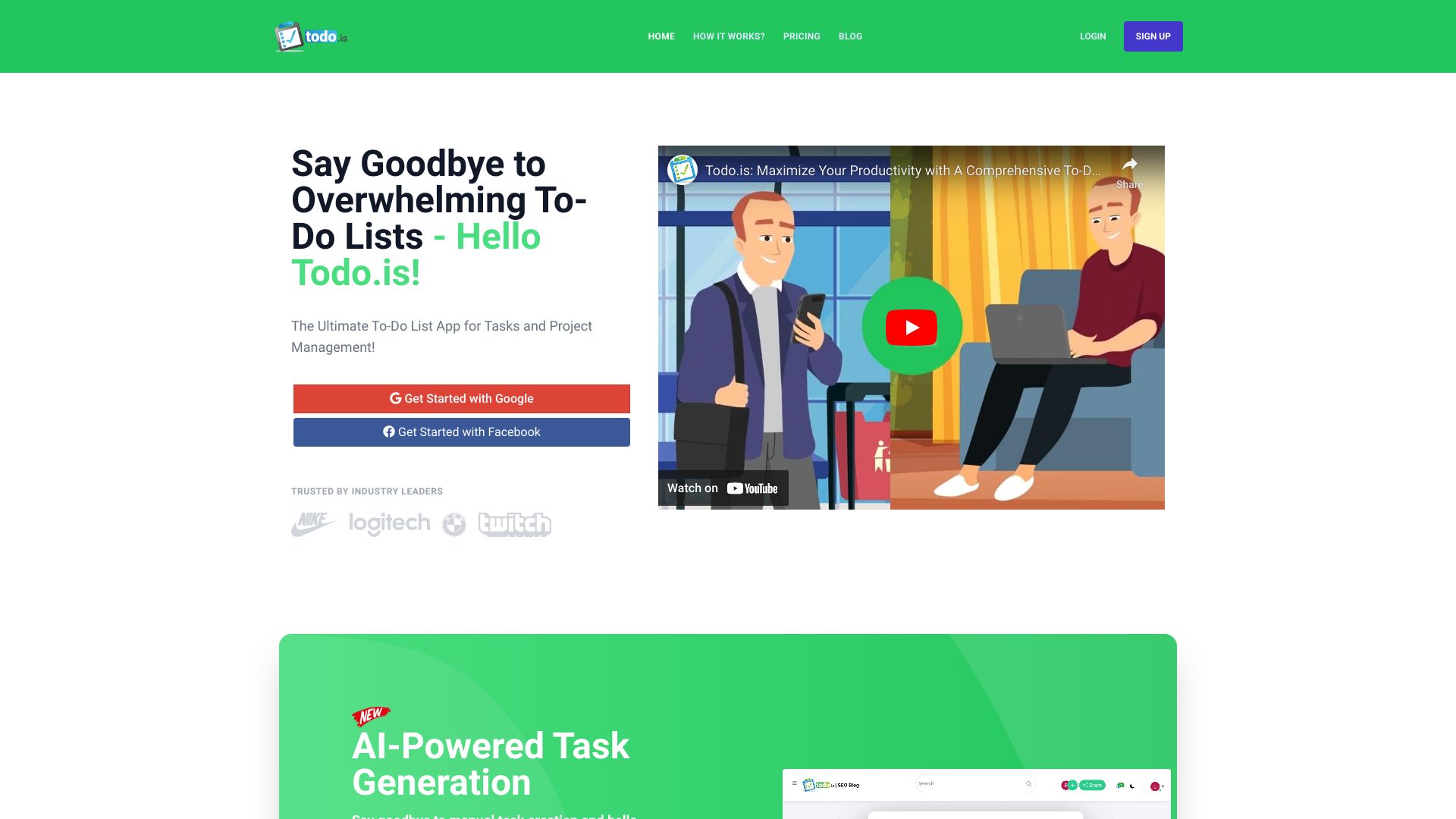
Todo.is earns the first position by addressing the part of task management that usually creates the most friction: translating work into an actionable plan. Its AI-powered task creation, schedule optimization, and workflow streamlining make it a strong match for project managers who are staring at a messy set of obligations rather than a neat list of already-defined tasks. The appeal is not simply that AI appears in the product; it is that the listed features connect capture, timing, and execution. The catch is that this kind of automation needs an initial setup period, and you should still inspect generated tasks and schedules before trusting them with important work. Pricing is not presented cleanly, so treat a vendor check as part of the evaluation.
Best for
Project managers turning broad deliverables into concrete tasks
Teams or individuals who want schedule support rather than a static checklist
Buyers comfortable reviewing AI-generated task plans
Limitations
May require initial setup and learning before the workflow feels natural
Reliance on AI may not suit people who want completely manual task control
Pricing needs to be confirmed directly with the vendor
Shortlist signal: Add Todo.is when your biggest problem is converting project intent into an organized schedule.
2. Let's Focus

- Individuals
- Advanced task management and productivity statistics
- Starts at Currently Disabled: Free
- Usage signal: Usage signal not listed

Why it matters
Let's Focus takes a more direct route than the AI-first planners. Its core is advanced to-do list management, backed by detailed statistics, visualization, sorting, and filtering. That combination matters for individuals who need to understand their work patterns as well as record tasks. A simple list can tell you what is unfinished; statistics can show whether your planning habit is realistic. The modern interface and broad task controls make this one of the safest general recommendations in the field, particularly if you do not want a project-management system to overwhelm personal work. Payments are currently disabled, which makes the commercial picture worth checking before you build a long-term system around it, and its GPT-4o reliance may not appeal to users seeking a purely deterministic app.
Best for
Individuals who want a capable everyday task manager
People who use sorting and filtering to manage a growing list
Users who find productivity statistics motivating or useful for review
Limitations
Payment availability may change, so confirm the current access model
AI assistance relies on GPT-4o and may not suit every workflow
Users wanting a deliberately minimal list may find the advanced controls unnecessary
Shortlist signal: Choose Let's Focus when you want personal task management with enough data to spot patterns in how you work.
3. Papper

- Students
- Free handwritten and digital to-do syncing
- Starts at Check vendor pricing
- Usage signal: Usage signal not listed
Why it matters
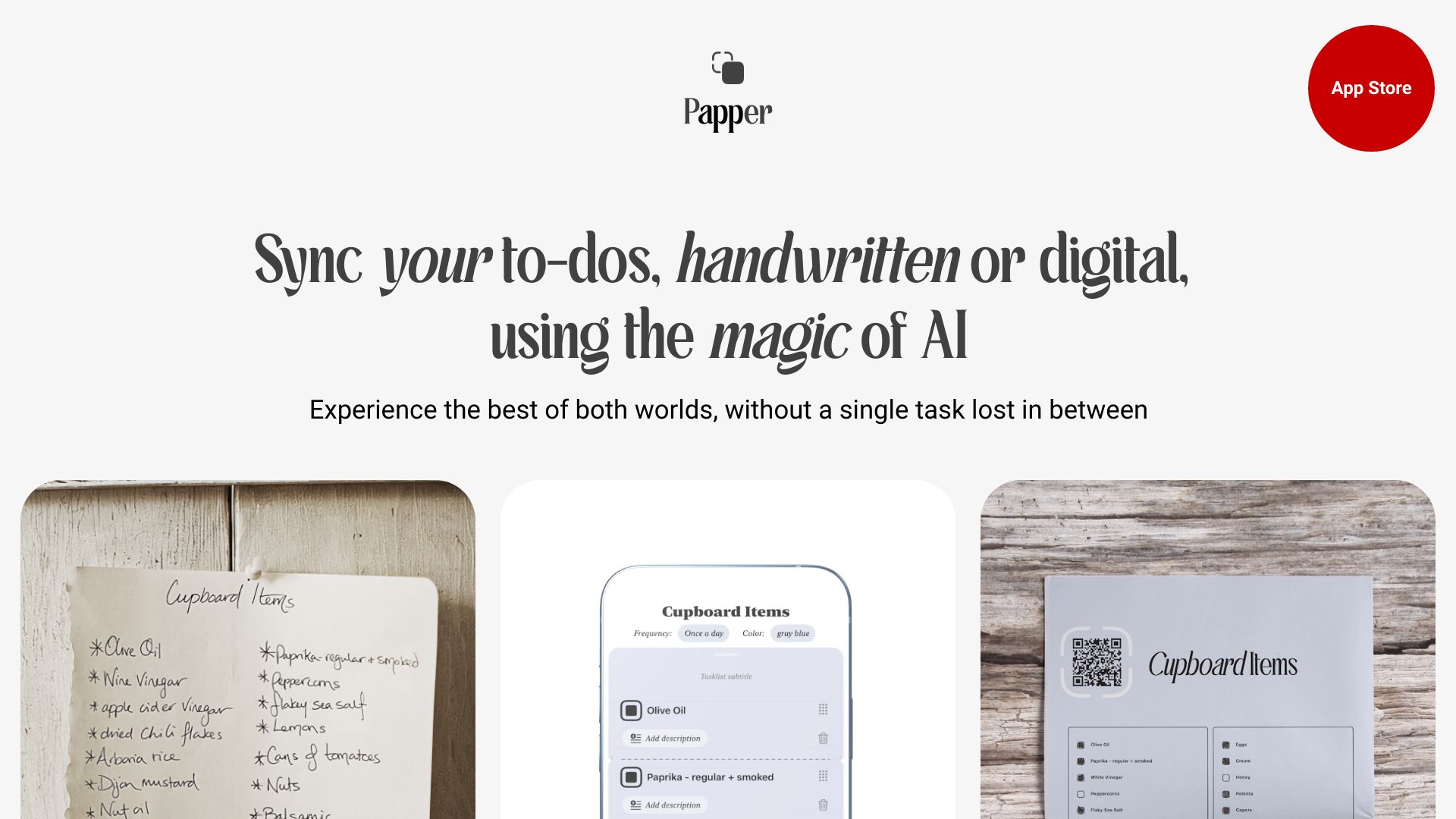
Papper solves a very specific but common problem: many people think faster with a pen than with a keyboard, then lose the benefits of digital organization. Handwritten recognition and handmark syncing let students move between those two modes instead of forcing a choice. The ability to create stylish printouts adds a practical bridge for study planning, revision, or daily routines. Papper is compelling because the capture method is the product, not a decorative extra. It is also the clearest example here of why platform fit should be checked before score: the app is limited to iOS devices running iOS 16 or above, and optional in-app purchases may affect the full experience.
Best for
Students who write notes and tasks by hand
People who want handwritten lists to remain connected to digital task management
Users who value printable, visually organized planning materials
Limitations
Limited to iOS devices running iOS 16 or above
Optional in-app purchases may be needed for additional features or content
It is a specialist capture tool, not a broad team project workspace
Shortlist signal: Put Papper on your list if handwriting is the fastest way for you to capture tasks and you already use a compatible iPhone or iPad.
4. Flowlist

- Individuals seeking a more dynamic and engaging todo list experience
- Full functionality available without login
- Starts at Check vendor pricing
- Usage signal: Usage signal not listed
Why it matters
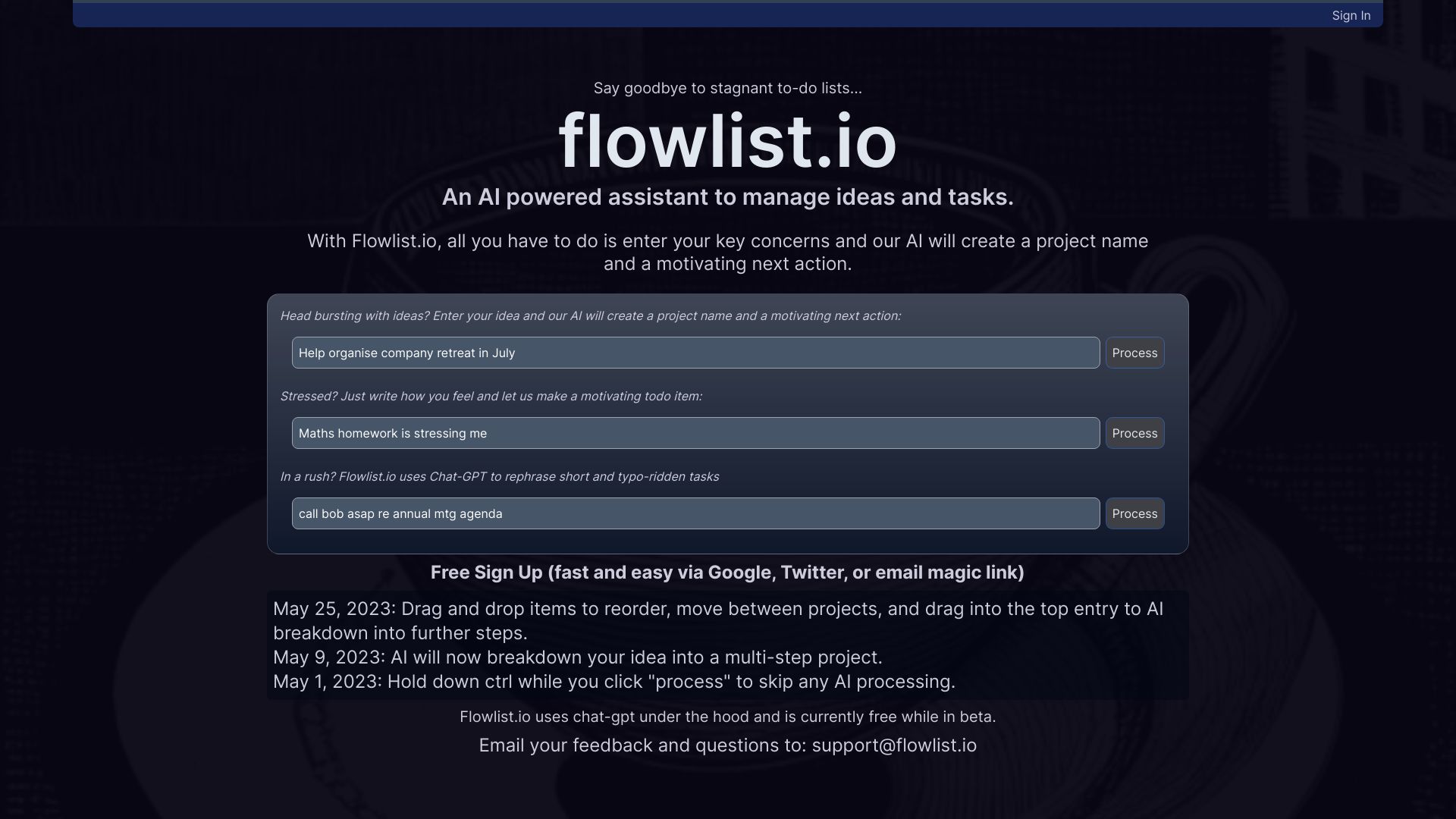
Flowlist is the most experimental entry in the group, and that is precisely why it may click with people who find conventional checklists lifeless. It can generate project names and next actions, then refine and remix tasks as the situation changes. That dynamic approach is useful when the problem is not a lack of tasks but a lack of momentum or clarity around them. Full functionality without a login lowers the barrier to trying it, and device syncing gives the concept more practical weight. Still, this is a side project with rough edges. It requires you to provide key concerns for the AI to work effectively, so it will not rescue a completely empty prompt or a user who wants the app to infer everything.
Best for
Individuals who want help finding the next action in an ambiguous project
Curious users willing to test an evolving AI workflow
People who prefer revising and remixing tasks over maintaining rigid lists
Limitations
Experimental status means the experience may include rough edges
Requires meaningful user input about key concerns
The dynamic approach may feel unnecessary for simple recurring errands
Shortlist signal: Try Flowlist when stale or vague tasks are your main obstacle and you want AI to keep reshaping the plan.
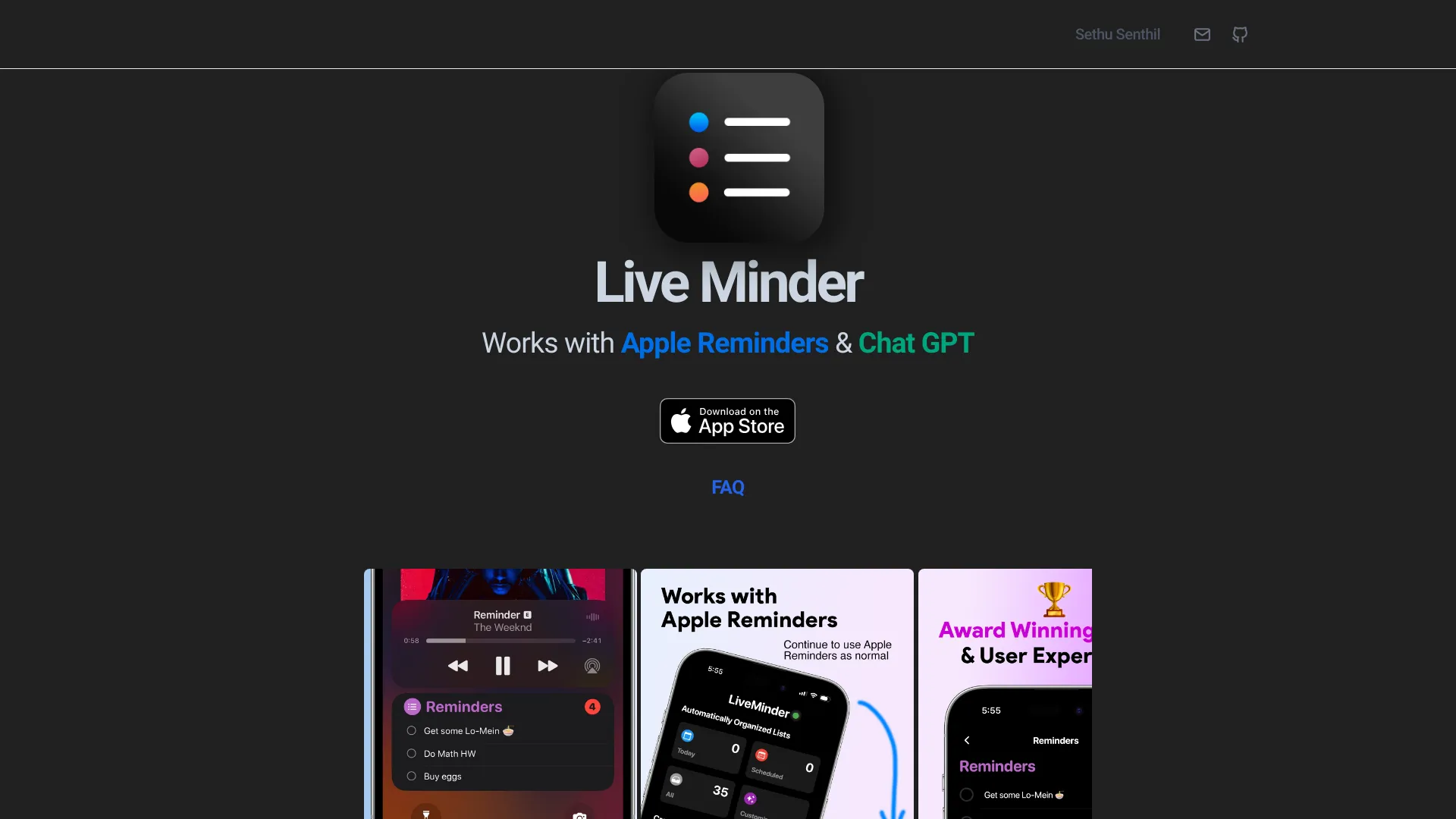
5. LiveMinder
- Students
- Apple Reminders sync and lock-screen access
- Starts at Check vendor pricing
- Usage signal: Usage signal not listed
Why it matters
LiveMinder focuses on a different failure point: forgetting to look at the list. It surfaces reminders on the lock screen, notifications, Always On Display, and Dynamic Island, while syncing in real time with Apple Reminders. That makes it a useful visibility layer for students and Apple users who already have reminders but do not consistently open a task app. ChatGPT integration for automatic list generation adds a lightweight way to create lists, though the product's strongest argument is persistent access rather than elaborate planning. Compatibility is the deciding factor. It requires iOS 11 or iPadOS 11 or later, with newer versions recommended for the best results, and it is not open source.
Best for
Apple users who need reminders visible without opening an app
Students managing deadlines, errands, or recurring study prompts
People already invested in Apple Reminders
Limitations
Requires iOS or iPadOS and is designed around Apple's ecosystem
Best results may require newer operating-system versions
Not open source, which matters to buyers who prioritize inspectable software
Shortlist signal: Choose LiveMinder when visibility, not task entry, is the reason your reminders keep getting ignored.
6. TodoPal

- Project managers
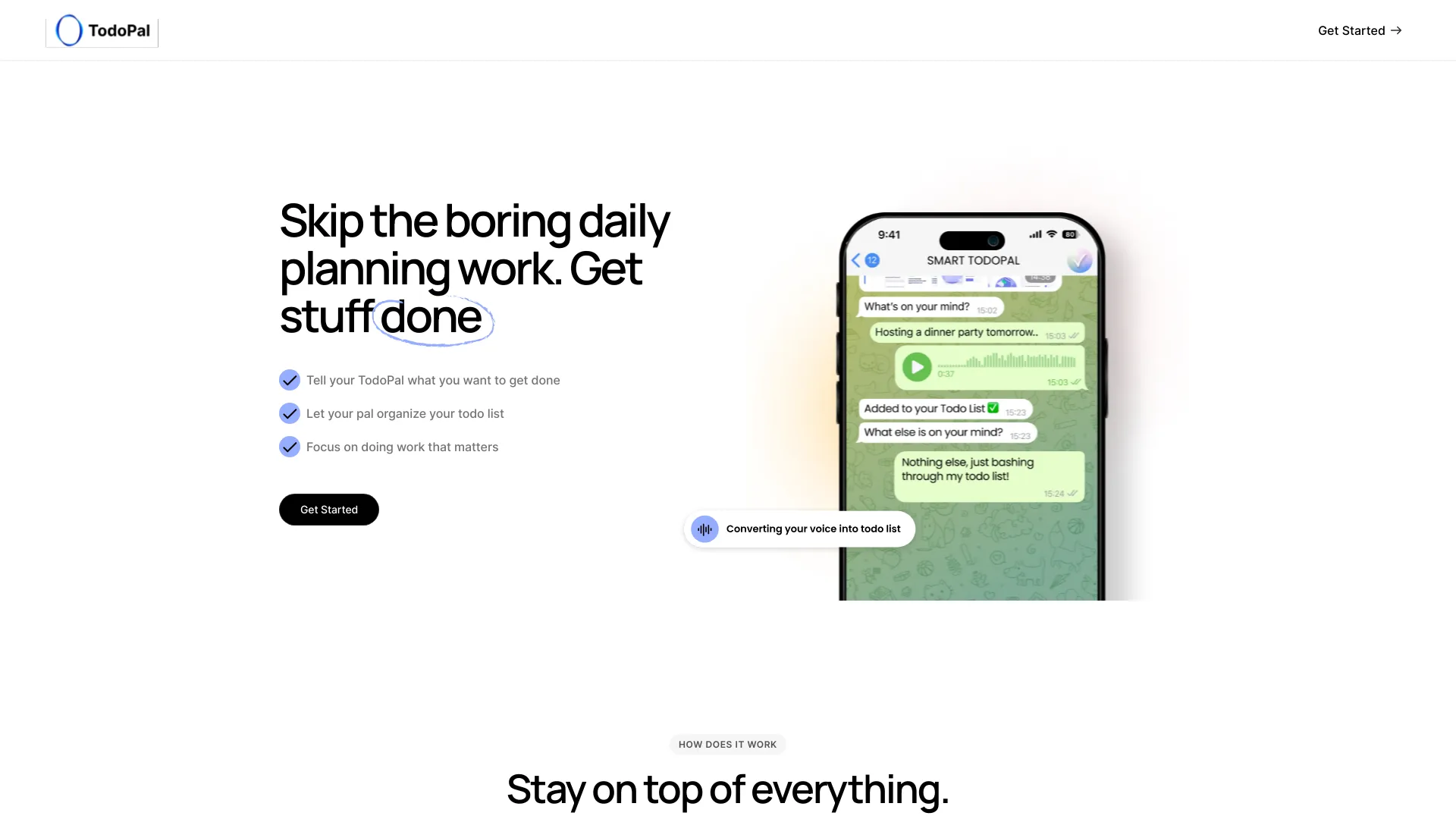
- Voice and text task interpretation with reminders
- Starts at Check vendor pricing
- Usage signal: Usage signal not listed
Why it matters
TodoPal is built for the moment when a task arrives as a sentence rather than a neatly formatted item. Its voice and text input interpretation can turn natural-language requests into organized tasks, while automated reminders and scheduling give those tasks a path to completion. That makes it a sensible option for project managers who capture work while moving between meetings or contexts. The product's straightforward positioning is a strength: it aims to make task management efficient rather than adding an elaborate productivity philosophy. The trade-off is that AI interpretation may need an internet connection and can misunderstand intent, so high-stakes deadlines still deserve a manual check.
Best for
Project managers capturing tasks by voice or conversational text
Busy users who want reminders and scheduling handled together
People who prefer a straightforward organizer over a heavily visual workspace
Limitations
May require internet connectivity for its AI-driven workflow
AI interpretation can require correction when a request is ambiguous
Pricing is not clear enough to skip a direct vendor check
Shortlist signal: Add TodoPal when fast voice or text capture matters more than deep project dashboards.
7. Weedone
- Entrepreneurs
- Weekly OKR planning, to-dos, and Pomodoro timer
- Starts at Check vendor pricing
- Usage signal: Usage signal not listed
Why it matters
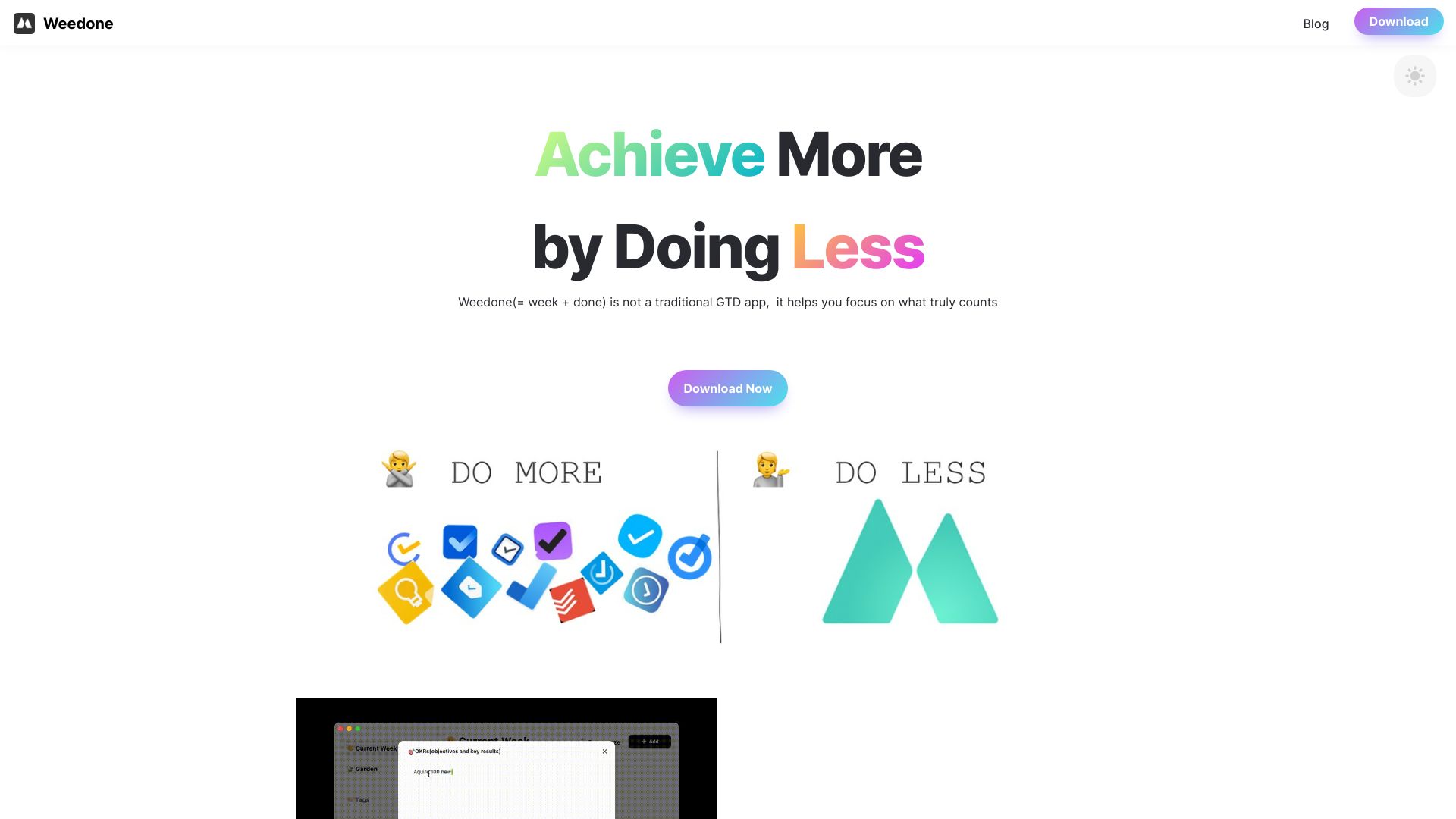
Weedone is for people who want a to-do list tied to a larger weekly operating rhythm. AI-powered weekly OKR planning and summaries, to-do management, a Pomodoro timer, and automated weekly reports connect goals with focused work. Its emphasis on monotasking is particularly relevant for entrepreneurs who lose time to constant context switching. Rather than treating every task as equal, the product encourages a planning-and-review loop. That framing will be useful if you already think in weekly outcomes; it may feel like overhead if you only need a grocery list. The biggest practical constraint is platform support: it currently runs only on Mac, and pricing is not explicitly provided.
Best for
Entrepreneurs who plan around weekly objectives and key results
Mac users who want focus sessions attached to task work
People who benefit from automated weekly summaries and reports
Limitations
Limited platform support currently means Mac only
Pricing information needs to be confirmed with the vendor
OKR and reporting features may be more structure than casual users need
Shortlist signal: Pick Weedone when weekly goals and protected focus blocks are more important than cross-platform access.
8. Motiv8

- Students
- 7-day free trial and AI task generation
- Starts at Check vendor pricing
- Usage signal: Usage signal not listed
Why it matters
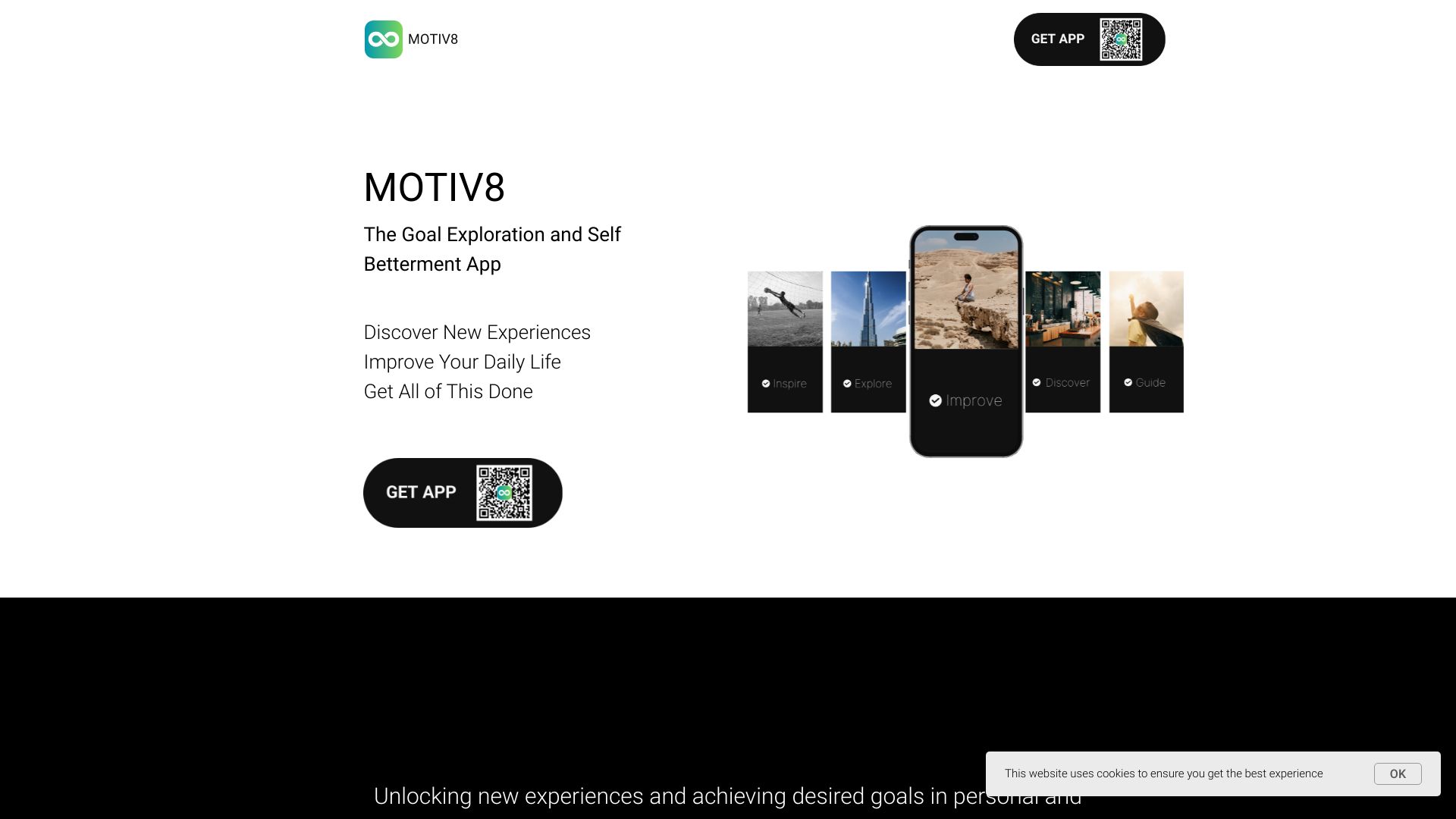
Motiv8 takes the list beyond work administration and into personal growth. AI-powered task generation, ready-to-use lifestyle lists, and AI goal decomposition can give students a starting point when they know what they want to improve but do not know how to break it down. The ready-made lists are the differentiator: they can provide structure and inspiration instead of asking you to design a productivity system from scratch. This is a better match for guided routines than for complex team delivery. The seven-day free trial gives you a clear test window, but a subscription may be required for full access, and users who dislike AI-mediated planning may prefer a more manual app.
Best for
Students building routines around study, health, or personal goals
Beginners who need examples and prompts before creating their own lists
Users who want large goals broken into smaller actions
Limitations
Full access may require a subscription after the trial
AI reliance may not suit users who want complete manual control
Ready-made lifestyle lists are less useful for specialized project workflows
Shortlist signal: Try Motiv8 when the hard part is deciding what to do next in a personal goal, not tracking an established work process.
9. Todobee

- Freelancers
- 7-day free trial; detailed analytics from $39/month
- Starts at Monthly: $39
- Usage signal: Usage signal not listed
Why it matters
Todobee is the most recognizable small-team project-management choice here. It combines a simple interface with projects, sub-tasks, detailed analytics, and reporting, giving freelancers a way to manage client work without immediately adopting a sprawling enterprise platform. Its pricing is unusually concrete compared with several other entries: the listed monthly starting point is $39, and the product emphasizes unlimited users, projects, and sub-tasks. That clarity helps, but it does not erase the fit question. Todobee may lack the advanced features of more complex project-management tools and offers fewer integrations than larger platforms. It is strongest when simplicity and basic reporting matter more than a broad software ecosystem.
Best for
Freelancers organizing several client projects
Small teams that need sub-tasks and reporting without a heavyweight system
Buyers who prefer an intuitive interface and a visible monthly starting price
Limitations
May lack advanced capabilities found in larger project-management platforms
Integrations are more limited than those of bigger work-management suites
The seven-day free trial is short for testing a multi-project workflow
Shortlist signal: Choose Todobee when you need project structure and analytics but want to avoid a complicated team platform.
10. InflammaScan | Anti-Inflammatory Diet App

- People managing inflammation
- 3-day free trial with photo meal scoring
- Starts at Free Trial: $0 for 3 days
- Usage signal: Usage signal not listed
Why it matters
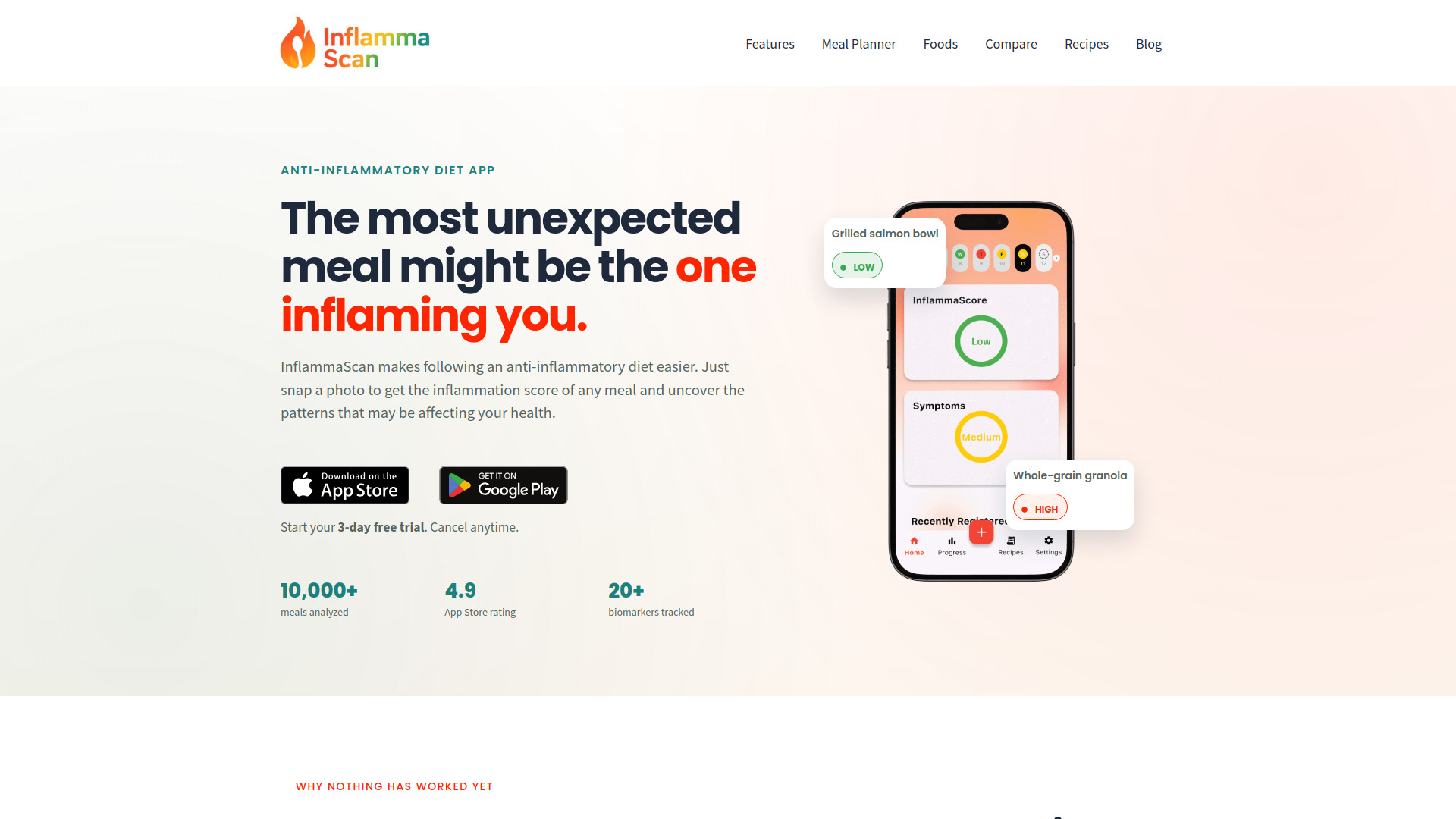
InflammaScan is an unexpected alternative rather than a general to-do list app. Its value appears when your daily checklist revolves around meals and symptoms: photograph a home-cooked or restaurant plate, receive an InflammaScore with an ingredient-level breakdown, and review suggested swaps. That removes barcode scanning and manual food-database searches, which can make a nutrition routine easier to maintain. It ranks tenth because its scope is intentionally narrow, not because the meal-analysis workflow lacks definition. People looking for broad task management should skip it. People managing inflammation may find the combination of photo analysis, symptom tracking, and personalized pattern insights more relevant than another generic checklist. Be careful with the three-day trial: a payment card is required and the subscription begins afterward unless canceled.
Best for
People tracking meals and symptoms as part of an inflammation-focused routine
Users who prefer photographing food to searching a database manually
Anyone who wants smart swaps and pattern insights tied to meal decisions
Limitations
It is a specialized diet app, not a general task or project manager
A payment card is required to start the free trial
The subscription begins after three days unless canceled
Shortlist signal: Consider InflammaScan only when food analysis is the central routine you need to manage, not ordinary work or personal tasks.
What to test before choosing
Do not evaluate these apps by creating one polished example task. A real test should expose capture friction, planning quality, notification behavior, and the effort required to keep the list current.
- 1
Capture three kinds of tasks. Add a quick errand, a vague multi-step project, and a task with a fixed deadline. AI tools such as Todo.is and TodoPal should produce useful structure without inventing unnecessary work.
- 2
Test the edit loop. Change a deadline, split a task, rename a project, and remove an AI suggestion. A list is only useful if correction is faster than starting over.
- 3
Check visibility at the moment you need it. LiveMinder's lock-screen approach is fundamentally different from an app that expects you to open a dashboard. See which reminder style you can tolerate all day.
- 4
Try a low-energy day. Enter only the minimum information and see whether the tool still helps. Flowlist may prompt useful next actions, while Weedone may be better when you are ready for a structured weekly review.
- 5
Test your actual device. Papper requires iOS 16 or later, LiveMinder is Apple-oriented, and Weedone currently supports only Mac. These are not details to discover after migrating your whole system.
- 6
Read the trial and renewal language. Motiv8 offers a seven-day free trial, Todobee lists a seven-day trial, and InflammaScan offers three days but requires a card and starts a subscription unless canceled. Those are materially different tests.
- 7
Measure maintenance, not novelty. After three days, ask whether the app reduces decisions or creates more of them. The best task system is the one you will still update when work gets busy.
What to do next
Start with one primary workflow and two contenders. A project manager should test Todo.is against TodoPal and Todobee; an individual should compare Let's Focus with Flowlist; an Apple user should put LiveMinder through a reminder-visibility test; and a student who writes by hand should begin with Papper. Keep the same sample tasks in each app so the comparison stays fair.
Next, confirm the commercial and platform details on the vendor pages. Several tools say to check pricing, while Todobee lists $39/month and the trial terms vary widely. Do not mistake free access to core features for a guarantee that every feature, device, or future workflow will remain free.
Finally, choose the smallest system that handles your real volume. If you manage projects, prioritize task decomposition and scheduling. If you forget tasks, prioritize persistent visibility. If you struggle to begin, prioritize next-action guidance. The right choice from the top task list apps is the one that fixes your specific failure point without asking you to become a full-time productivity administrator.
Common mistakes when choosing from a complex top list
Treating the ranking as universal. The first-place tool is the strongest broad match here, not automatically the best app for handwriting, Apple reminders, or nutrition tracking.
Confusing AI generation with good planning. A tool can create many tasks and still give you a worse plan. Check whether its suggestions are specific, editable, and proportionate to the goal.
Ignoring platform constraints. An iOS-only or Mac-only workflow can be excellent until your device changes or your team needs another operating system.
Testing only the first five minutes. Novel AI output often feels impressive during setup. Repeated capture, editing, rescheduling, and review reveal the real cost.
Overvaluing feature count. Statistics, OKRs, Pomodoro timers, and integrations matter only when they support your working style. Extra controls can become extra maintenance.
Skipping renewal details. A short free trial, a disabled payment system, or a card-required subscription should change how you plan the test.
Putting a specialist in a general shortlist. InflammaScan is relevant for a food-and-symptom routine, but it should not replace a project manager's task system.
FAQ
Todo.is ranks first because it combines AI-powered task creation with schedule optimization and workflow streamlining. It is the clearest fit for project managers who need help turning broad work into an organized plan. Review its AI output and confirm pricing before committing.