
Choosing among the top budgeting apps is less about finding the longest feature list and more about finding a workflow you will actually keep using. I compared 10 tools across privacy, account connections, shared finances, AI guidance, expense tracking, free access, and pricing clarity. The result is a deliberately mixed field: Skwad leads for privacy-conscious tracking, Lumio is the clearest couples pick, and CashCoach.ai and BudgetGPT take different approaches to conversational financial guidance. A few lower-ranked entries are broader money or lifestyle tools, but they are still useful adjacent options when your real goal is understanding spending and making better day-to-day decisions.
Start here
Start with the job you need the app to perform, not the label on its landing page. Skwad is the strongest first stop if handing over bank credentials is a dealbreaker. Couples should begin with Lumio, while people who want advice in plain language should compare CashCoach.ai with BudgetGPT. NeonFin and Personal CFO make more sense for lightweight personal planning than for users demanding a sophisticated connected-account system.
| Your priority | First tool to examine | Why it belongs on the shortlist |
|---|---|---|
| Track spending without sharing bank passwords | Skwad | Email-alert syncing, receipt scanning, and statement-to-Excel conversion |
| Manage money with a partner | Lumio | Shared expenses, household bills, and automated account aggregation |
| Get personalized AI guidance | CashCoach.ai | AI coaching, budgeting, savings, and real-time expense tracking |
| Build a budget through conversation | BudgetGPT | Chat-based budget building plus connected spending tracking |
| Stay with a free planning toolkit | NeonFin | Budget calculators, expense tracking, income analysis, and receipt scanning |
The quick takeaway: the best budget app for you may not be the highest scorer overall. It is the one that matches your tolerance for account linking, your household setup, and how much structure you need to keep checking in.
Segment comparison
This category breaks into several practical segments. The table below is more useful than a generic "best for everyone" claim because it shows what kind of budgeting behavior each group supports.
| Segment | Strongest match | Workflow emphasis | Main trade-off |
|---|---|---|---|
| Privacy-first individual budgeting | Skwad | Email alerts instead of required bank-password sharing | Requires setting up bank email alerts |
| Couples and shared households | Lumio | Shared expenses and household bill management | Both partners need to connect accounts |
| AI financial coaching | CashCoach.ai | Personalized advice, goals, budgets, and savings | Uses Plaid for account connections |
| Conversational budgeting | BudgetGPT | Build and adjust a personal budget by chat | Pricing needs to be confirmed with the vendor |
| Lightweight planning and tracking | NeonFin | Calculators, expenses, income, and receipt capture | Security and mobile-platform details need checking |
Skwad is the outlier in the best possible way: it treats bank access as optional rather than inevitable. Lumio is the most clearly household-oriented product. The AI tools may feel more approachable for someone who avoids spreadsheets, but their usefulness depends on being comfortable connecting financial accounts and reviewing automated interpretations.
Shortlist paths
Use these paths to narrow the field quickly. They are not separate rankings; they are decision routes based on the friction you are most likely to notice after the first week.
| If you care most about... | Compare these tools | What to investigate next |
|---|---|---|
| Privacy and manual control | Skwad, Personal CFO | Alert setup, templates, and what Pro Mode unlocks |
| Shared financial visibility | Lumio, Crbit | Collaboration model, connected institutions, and premium pricing |
| AI-led recommendations | CashCoach.ai, 6pm | How insights fit into budgets, goals, and recurring use |
| A conversational starting point | BudgetGPT, CashCoach.ai | Account connection requirements and quality of personalized guidance |
| Free or low-cost experimentation | NeonFin, Crbit, 6pm | Premium gates, trial terms, and whether the free tier is enough |
InflammaScan and AI Photo Editor Pro sit outside a conventional budgeting shortlist. They appear here as unexpected adjacent alternatives rather than direct substitutes: one applies visual analysis to food and symptoms, and the other handles prompt-based photo work. If you are specifically choosing a money tool, skip them. If your broader project involves lifestyle tracking or online selling, their workflows may still be relevant.
Ranking snapshot
Scores reflect the balance of category fit, feature depth, audience clarity, and available market signal. They are not a promise that every tool will work equally well for every financial situation.
| Rank | Tool | Score | Best for | Starting price |
|---|---|---|---|---|
| #1 | Skwad | 93/100 | Individuals | DUO: $22/year |
| #2 | Lumio | 93/100 | Couples | Individual Free: Free |
| #3 | CashCoach.ai | 93/100 | Financial-health improvement | Check vendor pricing |
| #4 | BudgetGPT | 92/100 | People struggling with budgeting | Check vendor pricing |
| #5 | NeonFin | 89/100 | Individuals | Check vendor pricing |
| #6 | Personal CFO | 89/100 | Individuals | Check vendor pricing |
| #7 | Crbit | 89/100 | Individuals | Free: $0/month |
| #8 | 6pm | 89/100 | Individuals | Premium: $1.99/month |
| #9 | InflammaScan | 87/100 | Inflammation management | Free trial: $0 for 3 days |
| #10 | AI Photo Editor Pro | 87/100 | Online sellers | Lite: $9.99/month |
How we grouped and ranked the list
A useful field guide has to do more than sort tools by a single number. I grouped the 10 candidates by the behavior they support: private transaction capture, shared household management, AI coaching, conversational budget creation, basic planning, and broader adjacent workflows. That prevents a couples app from being judged solely against a receipt scanner or an image editor.
The ranking gives the most weight to direct budgeting usefulness. We looked for evidence of budget creation, expense tracking, transaction categorization, savings or goal support, and a clear audience. We also considered the cost of getting started. A free plan or trial is helpful, but it does not compensate for a workflow that requires too much maintenance.
Account access is a major dividing line. Skwad can work without linking a bank account, although its email-alert setup takes effort and optional linking uses SimpleFIN. Lumio, CashCoach.ai, and BudgetGPT are more convenient when connections work, but that convenience brings reliance on connected institutions or services such as Plaid. Privacy, security, and supported institutions should be checked before moving from a test account to a primary financial account.
Finally, market signals help separate tools with a visible audience from products that look promising but have little usage information. Skwad shows 18.8K monthly visits, Lumio 10.4K, CashCoach.ai 9.7K, and BudgetGPT 416. Usage was not listed for several others, so those scores lean more heavily on feature and audience fit.
Ranked field notes
1. Skwad

- Privacy-conscious individuals
- Free for 15 days
- Starts at DUO: $22/year
- Usage signal: 18.8K
Why it matters
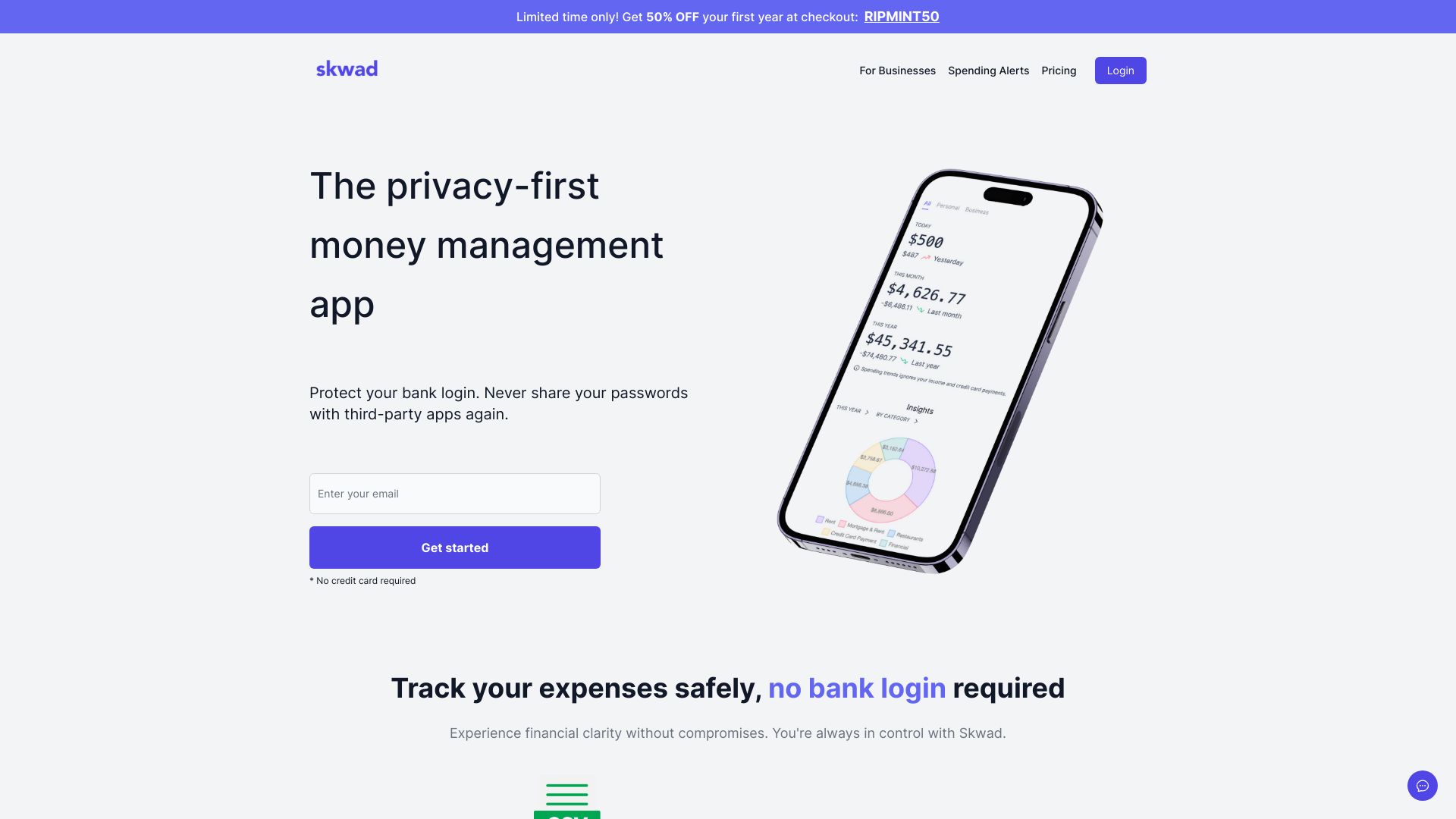
Skwad earns the first-place position by solving the uncomfortable part of budgeting: getting useful transaction data without requiring you to hand over bank passwords. Its email-alert approach can sync transactions quickly, while receipt scanning and bank-statement-to-Excel conversion give you practical fallbacks when automation is incomplete. That combination makes it unusually flexible. You can begin with a privacy-first setup and decide later whether optional bank linking is worth it.
Best for
Individuals who do not want to share bank passwords
People comfortable configuring bank email alerts
Users who want receipt capture or spreadsheet export alongside budgeting
Limitations
Initial setup requires bank email alerts
Optional account linking relies on the third-party service SimpleFIN
The DUO price is clear, but you should confirm which plan fits your household
Shortlist signal: Add Skwad first when privacy and control matter more than completely hands-off account syncing.
2. Lumio

- Couples managing shared finances
- Free plan available
- Starts at Individual Free: Free
- Usage signal: 10.4K

Why it matters
Most personal finance tools quietly assume one person is making every decision. Lumio starts with the opposite premise: shared expenses, household bills, and joint visibility. Automated account aggregation reduces the work of collecting information from two people, while bill tracking and cancellation add a useful layer beyond simple categorization. It is the most natural fit here for couples who want one place to understand what the household is spending.
Best for
Couples tracking shared expenses
Households managing recurring bills together
Partners who want automated aggregation rather than manual updates
Limitations
Both partners need to connect their accounts
Results depend on accurate transaction categorization
Paid plans start from £3/month, so confirm what the free tier excludes
Shortlist signal: Choose Lumio when the budgeting problem is coordination between two people, not just individual spending awareness.
3. CashCoach.ai

- Individuals improving financial health
- Free plan available
- Starts at Check vendor pricing
- Usage signal: 9.7K

Why it matters
CashCoach.ai is aimed at people who want more than a ledger. Its AI Personal Coach frames budgeting, savings, expense tracking, and goal setting as an ongoing conversation, with real-time information feeding personalized insights. That can make a budget feel less like a monthly spreadsheet appointment and more like a practical check-in. The trade-off is that its strongest experience depends on connected financial data, so account-linking comfort matters.
Best for
Individuals looking for personalized financial guidance
Users who want budgeting and savings support in one workflow
People who prefer insights and coaching over manual spreadsheet maintenance
Limitations
Account connections rely on Plaid
Sharing financial data may raise privacy concerns
Pricing is not presented clearly enough here; verify the live offer before committing
Shortlist signal: Put CashCoach.ai on your list if personalized AI explanations are likely to keep you engaged with your budget.
4. BudgetGPT

- Individuals who find traditional budgeting intimidating
- Free plan available
- Starts at Check vendor pricing
- Usage signal: 416
Why it matters
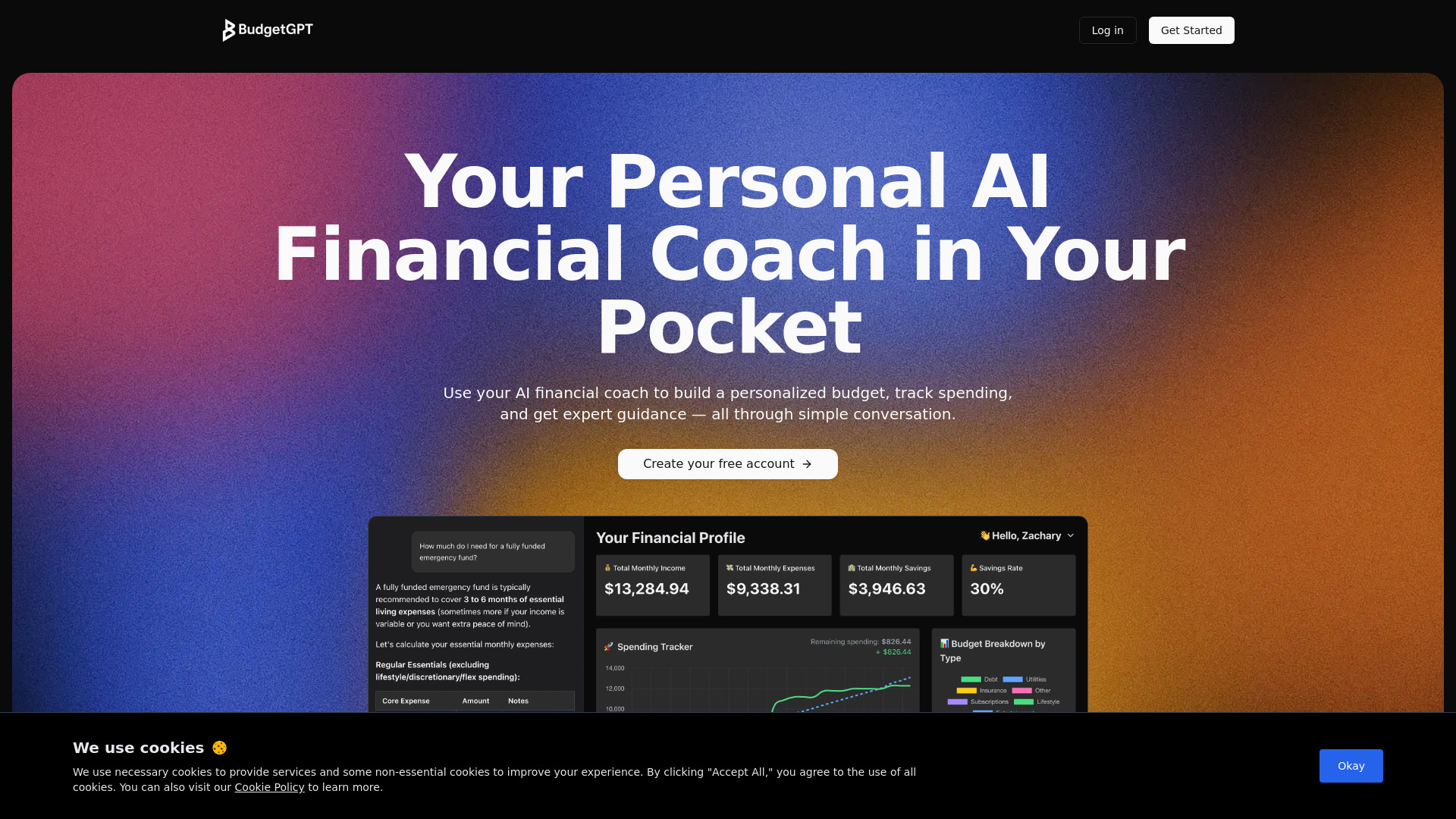
BudgetGPT removes the blank-spreadsheet problem by letting users build a personalized budget through conversation. That is a meaningful distinction for beginners who know they need a plan but do not know how to structure categories, limits, or tracking. Connecting accounts can then reduce manual entry, and the dashboard provides a more conventional view of spending and expenses. Its small visible usage signal means I would test the actual interaction carefully before relying on it for a complete financial system.
Best for
Beginners who struggle to create a budget from scratch
People who prefer natural-language prompts to financial templates
Users who want conversational setup paired with a dashboard
Limitations
Account connections are part of the tracking workflow
Pricing needs to be confirmed directly with the vendor
The relatively small usage signal makes hands-on testing especially important
Shortlist signal: Choose BudgetGPT when the hardest step is turning vague financial goals into a workable first budget.
5. NeonFin
- Individuals wanting free planning tools
- 100% free
- Starts at Check vendor pricing
- Usage signal: Usage signal not listed
Why it matters
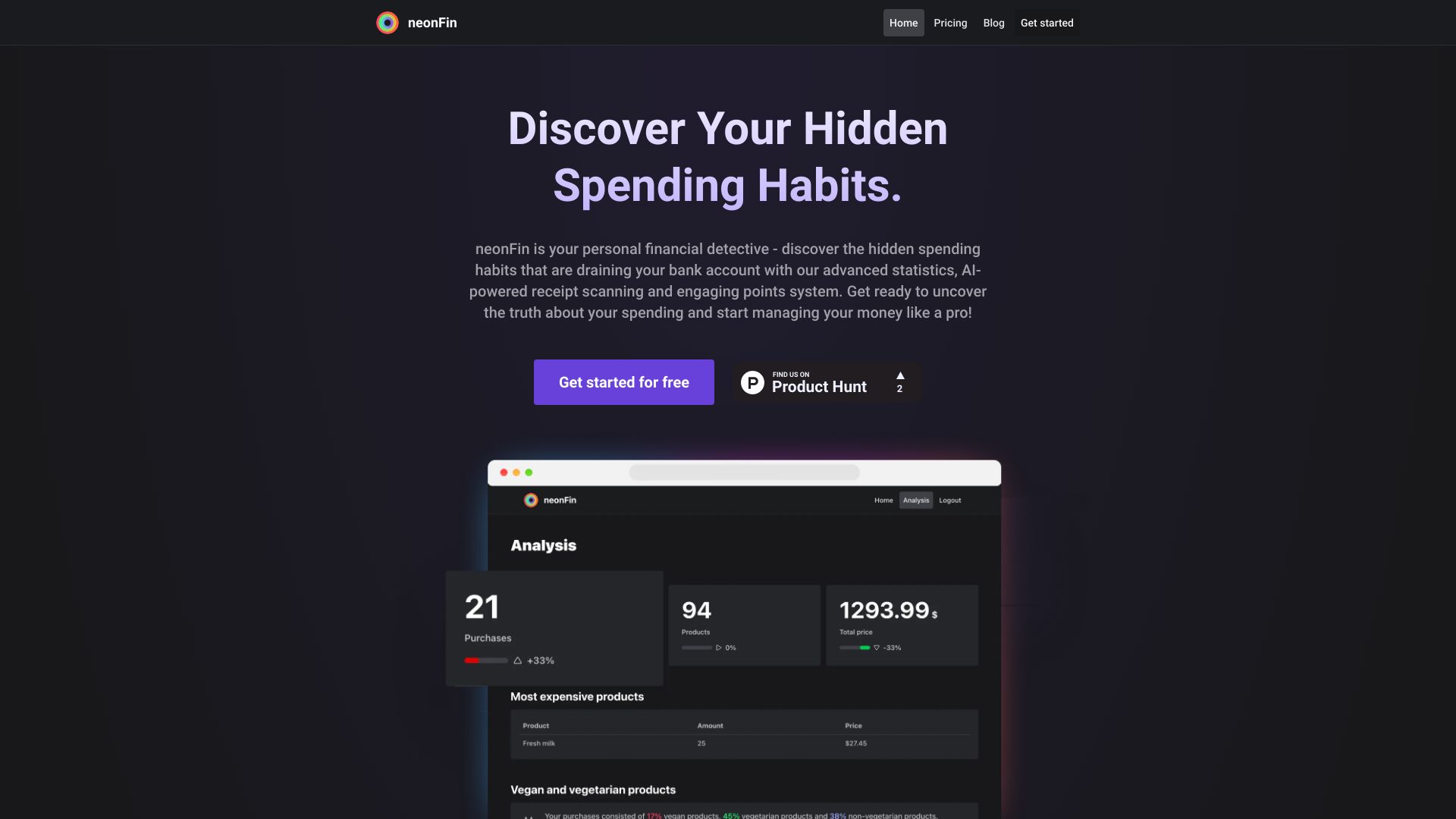
NeonFin takes a toolkit approach rather than centering the experience on coaching or shared finance. Budget calculators, expense tracking, income analysis, and AI-powered receipt scanning cover the basic questions most people ask when trying to get organized: what comes in, what goes out, and where the pattern is changing. The 100% free positioning makes it attractive for experimentation, especially if you want to start without a subscription decision.
Best for
Individuals who want calculators and tracking in one place
Users who value free access to core budgeting utilities
People interested in receipt scanning and income analysis
Limitations
The available product description does not explain data security in detail
iOS and Android availability is not clear
Usage information is not listed, so validate the product experience yourself
Shortlist signal: Start with NeonFin if free calculators and straightforward expense analysis matter more than advanced account automation.
6. Personal CFO
- Individuals building everyday money routines
- Free plan available
- Starts at Check vendor pricing
- Usage signal: Usage signal not listed

Why it matters
Personal CFO focuses on the daily question that makes budgeting actionable: how much money is actually spendable right now? Its real-time spendable-money view is paired with transaction templates that can simplify recurring financial routines. That sounds less ambitious than an AI coach, but it may be exactly right for someone who wants a clear, usable money-management habit. Pro Mode adds advanced features, although the specifics need to be investigated before paying.
Best for
Individuals who want an intuitive money-management interface
Users who make repeated transactions and can benefit from templates
People focused on practical decisions rather than extensive financial analysis
Limitations
Pro Mode requires an upgrade
The advanced Pro Mode feature set is not clearly detailed
Usage information and pricing are not listed clearly enough for a confident cost comparison
Shortlist signal: Add Personal CFO when a real-time spendable balance and repeatable transaction routines are your core needs.
7. Crbit

- Individuals who want collaborative finance features
- 3 months free
- Starts at Free: $0/month
- Usage signal: Usage signal not listed
Why it matters
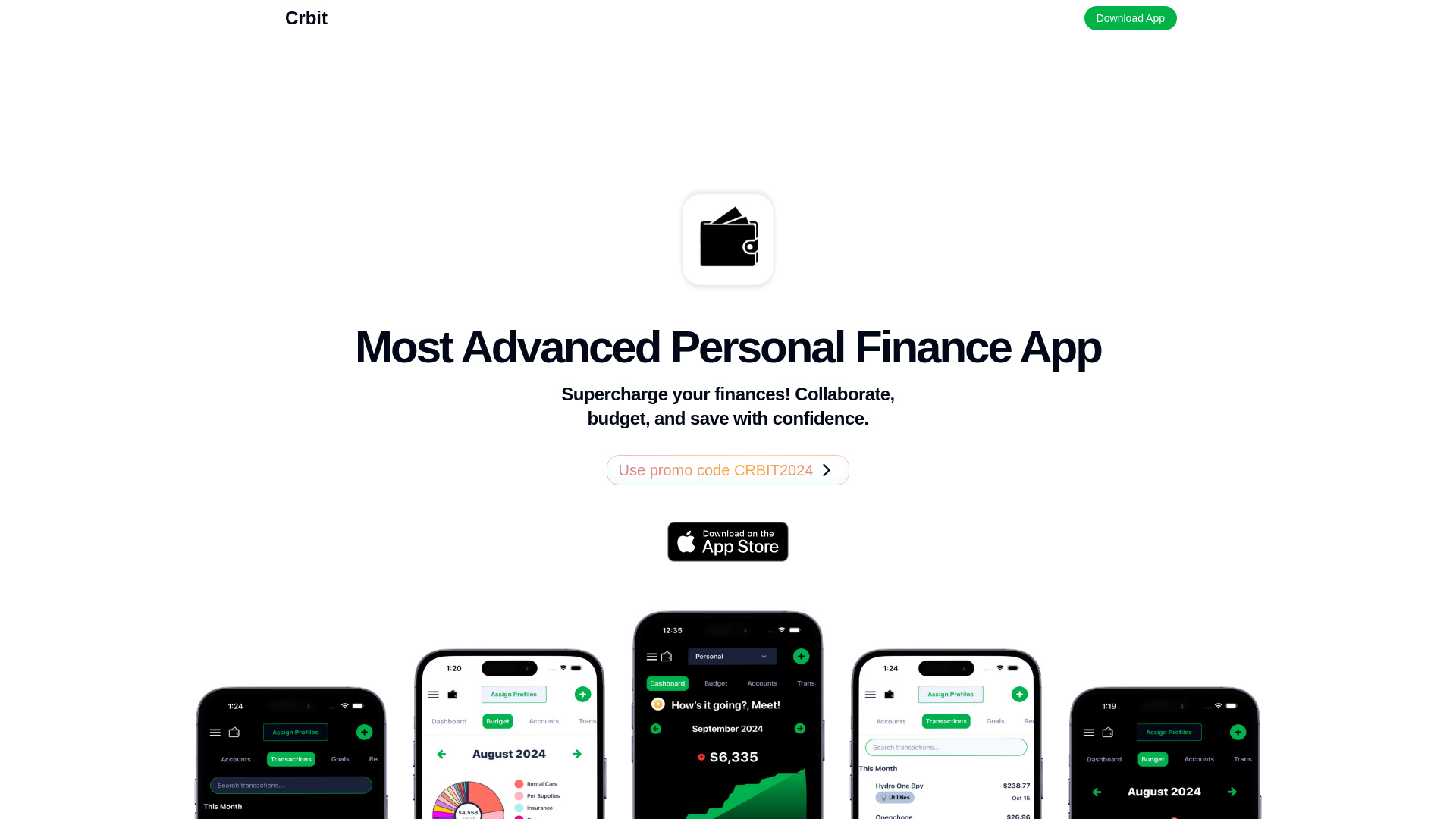
Crbit combines personal finance management, budgeting, expense tracking, collaboration, and AI-powered financial insights. That gives it a broader remit than a simple spending log and makes it worth comparing with Lumio for users who want financial work to involve another person. A three-month free period lowers the barrier to testing the routine, but premium pricing and reliance on connected institutions mean you should use the trial to check whether its collaboration features genuinely reduce household friction.
Best for
Individuals who want collaborative financial management
Users seeking AI-generated financial insights
People willing to test a connected-account budgeting workflow
Limitations
Premium features introduce a paid tier
The product relies on connected financial institutions
Usage information is not listed, so trial-based evaluation is important
Shortlist signal: Try Crbit when collaboration and AI insights are more important than having the most specialized couples workflow.
8. 6pm

- Individuals managing expenses and goals
- Free plan available
- Starts at Premium subscription: $1.99/month
- Usage signal: Usage signal not listed
Why it matters
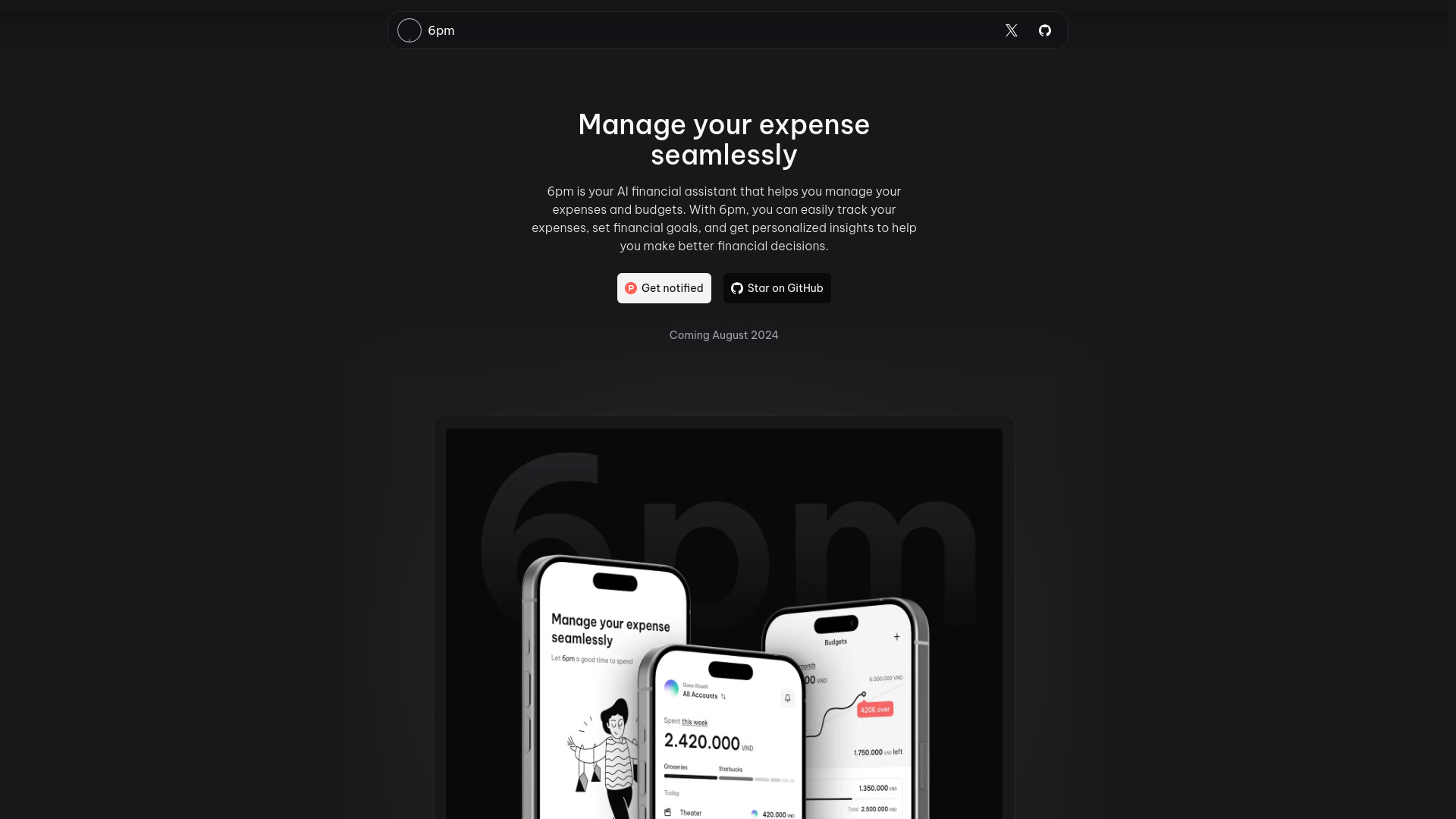
6pm keeps its promise relatively focused: track expenses, manage a budget, set financial goals, and receive personalized insights. That makes it a sensible option for someone who wants a low-cost assistant rather than a large financial dashboard. The $1.99/month premium subscription is easy to understand at a glance, but advanced features require that subscription, and the product notes that premium revenue covers AI server costs. In practice, the key test is whether the free experience provides enough value to establish a habit.
Best for
Individuals tracking expenses against goals
Users who want budget management with AI insights
Buyers attracted to a clearly stated low monthly premium price
Limitations
Advanced features require a premium subscription
The premium tier supports the product's AI server costs
Usage information is not listed
Shortlist signal: Put 6pm on the shortlist when you want a focused AI money assistant and a low stated premium entry price.
9. InflammaScan | Anti-Inflammatory Diet App

- People managing inflammation
- 3-day free trial
- Starts at Free trial: $0 for 3 days
- Usage signal: Usage signal not listed
Why it matters
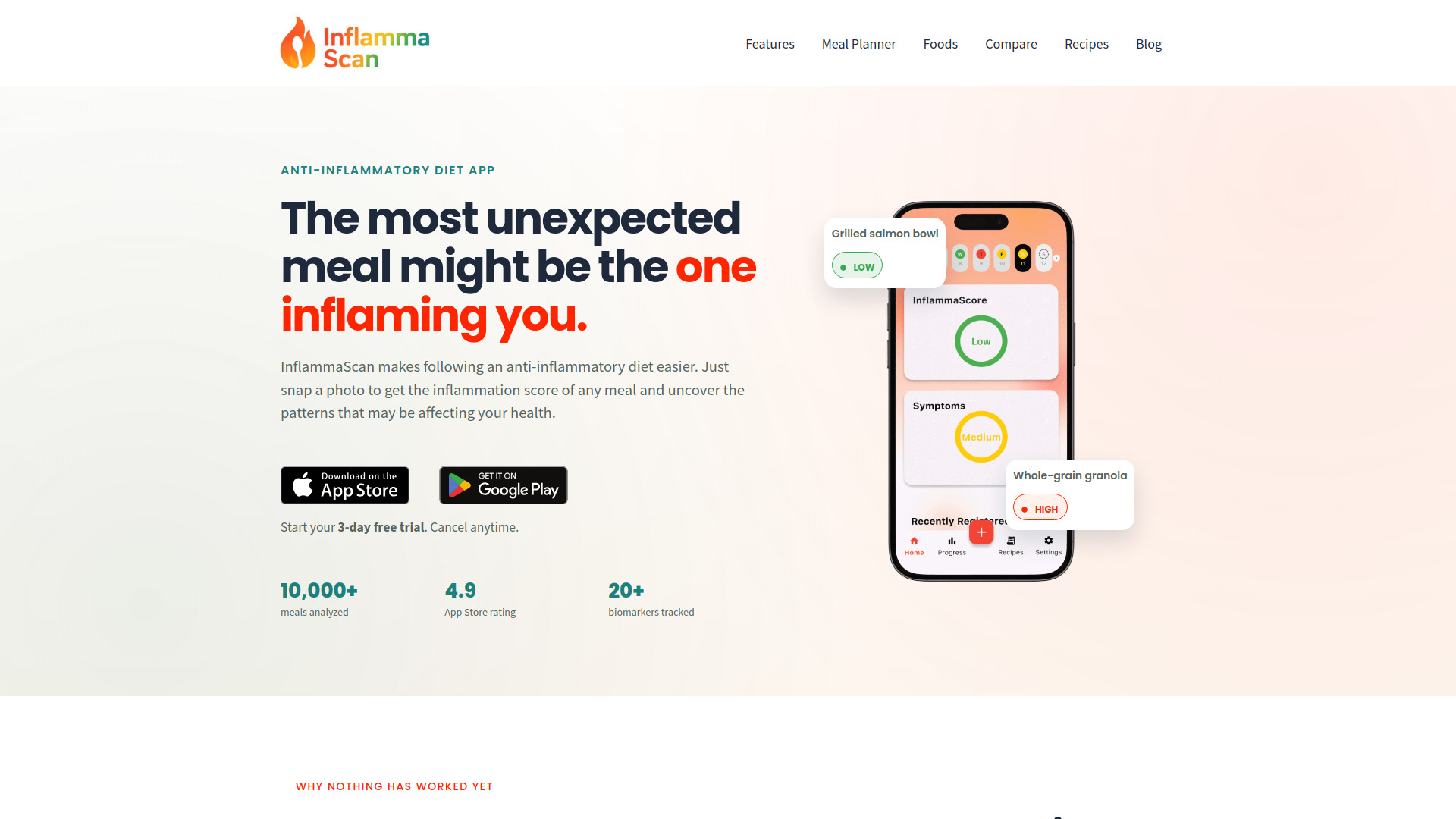
InflammaScan is not a conventional budgeting app, but it is a useful adjacent tool if your broader planning project connects spending, meals, and health habits. It analyzes a photo of a home-cooked or restaurant meal, produces an ingredient-level inflammation score, and suggests swaps. That visual, low-entry workflow is a sharp contrast to manual financial categorization. It ranks here because it is an unexpected alternative for readers building a wider personal tracking stack, not because it replaces a money budget.
Best for
People managing inflammation and food patterns
Users who want fast photo-based meal analysis
Anyone tracking meals across home cooking and restaurants
Limitations
It does not provide personal budgeting or expense tracking
Starting the free trial requires a payment card
The subscription begins after three days unless canceled
Shortlist signal: Choose InflammaScan only for a lifestyle-tracking need that sits alongside budgeting, not instead of it.
10. AI Photo Editor Pro

- Online sellers handling product imagery
- Starts at Lite: $9.99/month
- Usage signal: Usage signal not listed
Why it matters
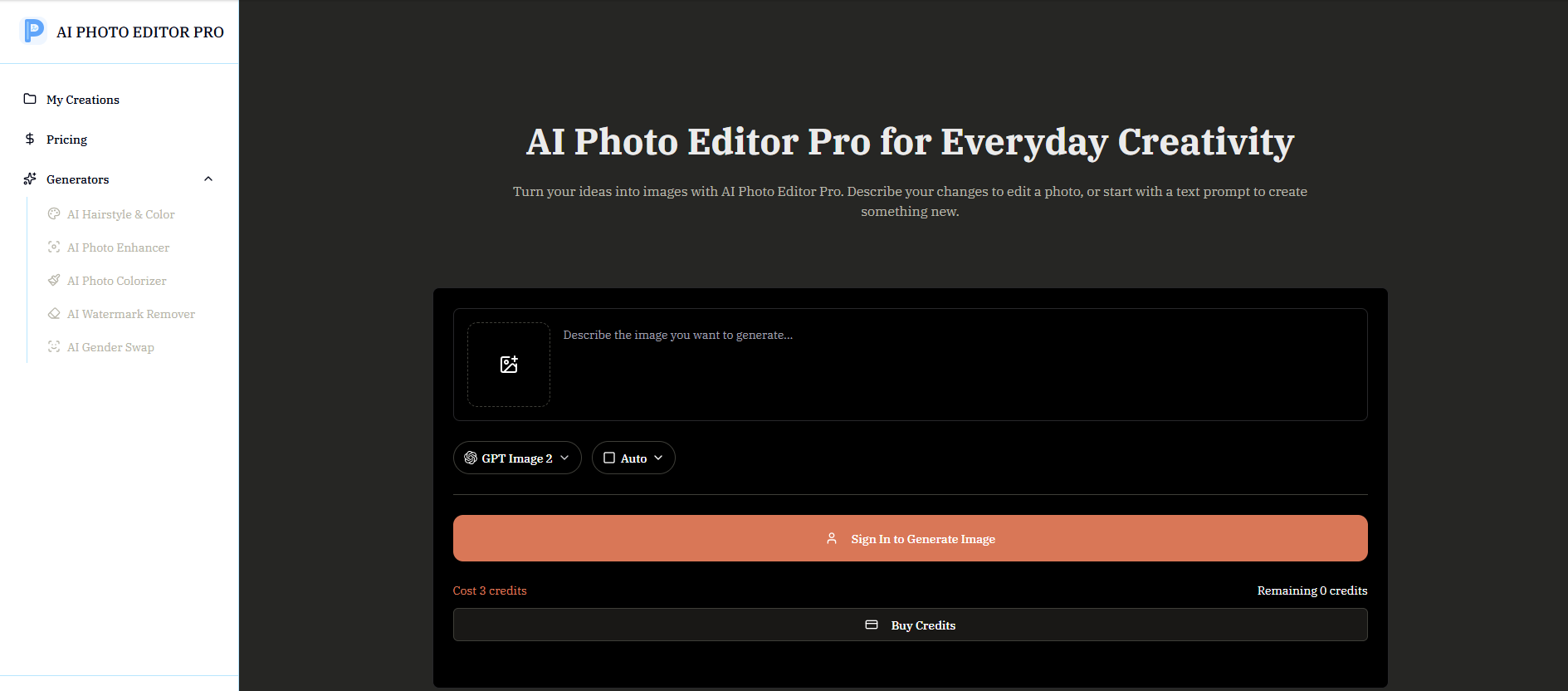
AI Photo Editor Pro is another broader visual tool rather than a budget planner. Its natural-language editing, image generation, enhancement, restoration, colorization, watermark removal, and background replacement could matter to an online seller whose budgeting process includes preparing product listings. The scene-preservation focus is useful for repeatable product work, but there is no reason to choose it for transaction tracking. Think of it as an adjacent workflow option that appeared in the wider field, not a direct competitor to the top budget apps.
Best for
Online sellers preparing product photos
Users who prefer prompt-based editing to complex design software
Workflows involving background replacement or image restoration
Limitations
It does not offer budgeting, expense tracking, or financial goals
Image generation requires credits
No specific free generation quota is stated; Lite starts at $9.99/month
Shortlist signal: Consider AI Photo Editor Pro only when your budgeting project is tied to an online-selling visual workflow.
What to test before choosing
A polished dashboard is not enough. Run the same small test in each serious contender so you can compare friction rather than screenshots.
- 1
Add one week of real transactions. Check whether categories are accurate and whether corrections are easy. Automated categorization is helpful only when fixing errors takes seconds.
- 2
Create one realistic budget. Use actual income and recurring costs, then see whether the tool distinguishes planned spending from money already spent.
- 3
Test the connection model. For Skwad, configure the email-alert workflow. For connected-account tools, check whether your institutions appear and whether refreshes are reliable.
- 4
Try a receipt or statement. Skwad's receipt scanner and statement-to-Excel conversion, along with NeonFin's receipt scanning, are worth testing with imperfect images rather than ideal samples.
- 5
Ask the AI an ordinary question. Try a question about overspending, savings, or a goal. Look for a concrete answer grounded in your data, not generic encouragement.
- 6
Invite the other person. Couples should test Lumio or Crbit with the actual partner who will use the app. Shared finance tools fail when one person becomes the permanent administrator.
- 7
Check the exit path. Review how to cancel, export information, disconnect accounts, and delete data before importing your full financial history.
The best free budgeting apps are useful only if their free limits cover your actual routine. A trial that supports one impressive demo but blocks recurring tracking will not remain free in any meaningful sense.
What to do next
Narrow the list to two tools, not five. For a privacy-first comparison, test Skwad against Personal CFO. For AI guidance, compare CashCoach.ai with BudgetGPT or 6pm. For a household, use Lumio as the baseline and compare Crbit if collaboration and AI insights are both important.
Use a small, non-sensitive account or a limited transaction sample for the first test. Confirm current pricing directly with each vendor, especially where the starting price is unclear or premium features are gated. Then choose the tool that makes your next budgeting action obvious: categorizing a purchase, checking spendable money, reviewing a shared bill, or adjusting a goal.
A budget is a repeatable behavior, so convenience should not automatically beat privacy. Conversely, privacy controls should not win if the setup is so demanding that you stop using the app. The right choice is the best balance for your own tolerance and routine.
Common mistakes when choosing from a complex top list
Treating the score as a personal verdict. A 93/100 privacy-first tool may be a poor fit if you need two-person household management.
Assuming every "free" label means unlimited use. Lumio has a free offering, NeonFin is described as 100% free, and other tools have trials or unclear premium boundaries. Confirm the live terms.
Ignoring account-linking requirements. Plaid, connected institutions, SimpleFIN, and two-person account setup create different privacy and maintenance trade-offs.
Confusing AI conversation with financial accuracy. A friendly answer is not proof that categorization or recommendations are correct. Review the underlying transactions.
Skipping the cancellation test. InflammaScan starts a subscription after its three-day trial unless canceled, a reminder to inspect trial mechanics before entering a card.
Comparing adjacent tools as if they were direct competitors. InflammaScan and AI Photo Editor Pro can support broader lifestyle or selling workflows, but they do not replace a budgeting system.
Choosing the most detailed app instead of the most sustainable one. If a simple spendable-money view or a few templates are enough, a larger feature set may add friction rather than value.
FAQ
Skwad ranks first because it combines budgeting, receipt scanning, and statement conversion with a privacy-first workflow that does not require bank-password sharing. Its email-alert setup is a real trade-off, so people who want fully connected automation may prefer Lumio or CashCoach.ai.