
Small businesses searching for top-rated meeting assistant apps for small businesses usually need help capturing what happened in a call and turning it into useful follow-up: notes, decisions, action items, or a searchable record. We compared 10 tools, but there is an important caveat before you use this list to buy: most candidates here are office suites, general-purpose agents, website builders, or planning tools-not dedicated meeting assistants. Only Qianwen Office explicitly includes meetings as part of a broader collaboration suite, and its listed features do not confirm transcription or automated meeting summaries. Treat this as a practical shortlist of adjacent products and a guide to what still needs verification, not proof that every pick can take notes in your calls.
Start here
If you want to shortlist from these 10 candidates without mistaking adjacent software for a meeting assistant, start with the workflow you actually need:
Need meetings inside a broader office workspace? Qianwen Office is the closest documented match: its enterprise collaboration features include meetings, alongside documents, messages, approvals, and knowledge bases. Verify whether it captures or summarizes the meetings you use.
Need to coordinate when people meet? TimeTuna focuses on branded booking pages and calendar sync. That's scheduling, not a documented meeting-notes workflow.
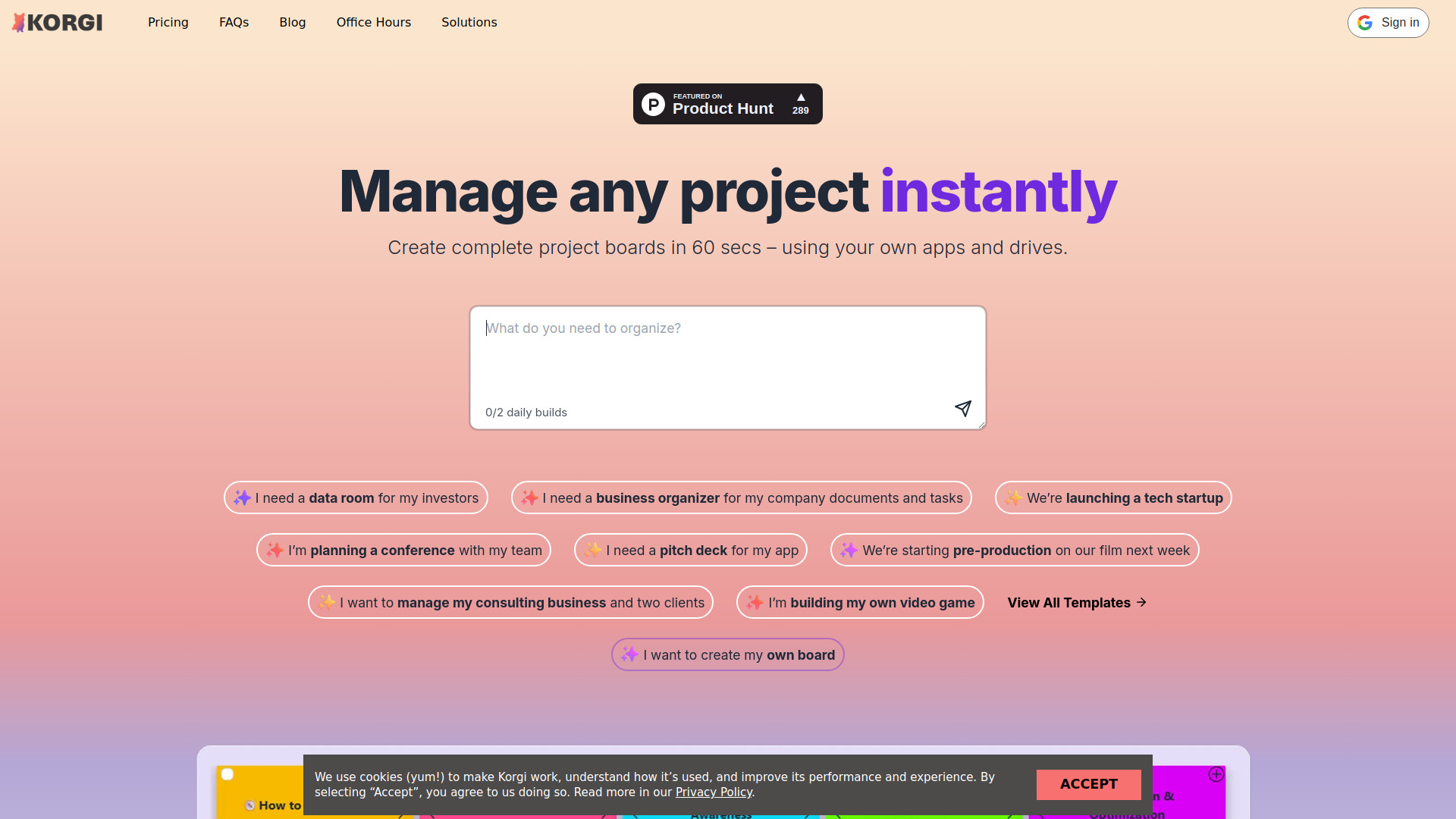
Need follow-up work organized after a call? Korgi creates project boards and connects with Google Workspace and Microsoft 365. Its listed capabilities do not establish that it listens to or summarizes meetings.
Need an agent to carry out tasks across services? Cue offers configurable agents for scheduling and communications, but you should confirm exactly what it can do with meeting content.
Need call notes, transcription, or action-item extraction specifically? None of the documented features for these 10 tools confirms that complete workflow. Keep looking rather than buying on the strength of an AI label.
The distinction matters: a tool that helps schedule a call or manage the project afterward can be useful to a small business, but it does not automatically replace a meeting assistant.
Segment comparison
| Segment | Tool | What the listed capabilities support | Meeting-assistant fit to verify |
|---|---|---|---|
| Office and collaboration | Qianwen Office | Office deliverables and enterprise messaging, including meetings | Whether it records, transcribes, or summarizes calls |
| Scheduling | TimeTuna | Calendar sync and branded booking pages | Meeting capture and post-call notes are not listed |
| Project follow-through | Korgi | AI project boards and Workspace/Microsoft 365 connections | Whether meeting discussions become tasks automatically |
| General agents | Cue, Airtap | Cross-service tasks, communications, and scheduling | Whether either works with meeting audio or transcripts |
| Adjacent creation tools | GenOffice, Apper, SiteDrop Live, Bizboard Pro, Chattide | Documents, websites, ventures, or general AI chat | No listed meeting-capture workflow |
Shortlist paths
| Your priority | Start with | Why it may help | Check before committing |
|---|---|---|---|
| One workspace for office work and collaboration | Qianwen Office | Meetings appear among broader enterprise collaboration features | Recording, transcription, summaries, language support, and access controls |
| Booking and calendar coordination | TimeTuna | Calendar sync and customizable scheduling pages | Whether your need is scheduling rather than meeting intelligence |
| Turning follow-up into project work | Korgi | AI-generated boards and connections to common productivity suites | Whether it can ingest meeting notes or create tasks from them |
| Automating work across connected services | Cue | Configurable agents can take on tasks involving scheduling and communications | Permissions, approval steps, and meeting-platform support |
| A dedicated meeting assistant | None confirmed in this list | The candidate set does not document the core meeting-assistant workflow | Search for explicit recording, transcription, summaries, and action items |
Ranking snapshot
These ranks preserve the candidate order and scores for comparison; they should not be read as a verified ranking of dedicated meeting assistants. The score does not establish that a product can transcribe or summarize a meeting.
| Rank | Tool | Score | Strongest documented angle |
|---|---|---|---|
| #1 | Qianwen Office | 91/100 | Office work and enterprise collaboration, including meetings |
| #2 | Airtap | 91/100 | Text-directed automation inside mobile apps |
| #3 | GenOffice | 91/100 | Desktop document editing with optional AI |
| #4 | Cue | 90/100 | Configurable personal agents across connected services |
| #5 | Apper - App & Website Builder | 90/100 | Building apps and websites with an existing AI subscription |
| Rank | Tool | Score | Strongest documented angle |
|---|---|---|---|
| #6 | SiteDrop Live | 90/100 | Prompt-based website creation and publishing |
| #7 | TimeTuna | 90/100 | Branded scheduling pages and calendar sync |
| #8 | Korgi | 90/100 | AI-generated project boards and productivity-suite connections |
| #9 | Bizboard Pro | 87/100 | Idea validation and venture planning |
| #10 | Chattide | 87/100 | General conversational AI with image attachments |
How we grouped and ranked the list
A useful meeting assistant should help with the meeting itself, not just the work that surrounds it. For this category, the practical checks are whether a tool can capture or process meeting content, produce a dependable record, and make the result easy to use afterward. Depending on the team's needs, that can mean transcription, summaries, decisions, action items, search, or integrations with the tools where employees already work. These are evaluation criteria-not capabilities we assume a candidate has.
The 10 candidates in this comparison span several neighboring jobs. Qianwen Office is the only one whose listed collaboration features explicitly include meetings, but that does not confirm an AI meeting assistant. TimeTuna handles booking and calendar sync; Korgi focuses on project boards; Cue and Airtap are broader agents. The remaining products are centered on documents, app or website creation, business planning, or general AI conversation. We grouped them by their documented job so readers can see where they might complement a meeting workflow and where they do not answer the core need.
The displayed score and order are the candidate scores and ranks, not a claim that all 10 were tested as meeting transcription products. For a small business, practical fit also depends on meeting-platform compatibility, consent and privacy requirements, language and speaker handling, limits on recordings or usage, and total cost. Those specifics are not established for most products here. Verify them directly before making a purchase decision.
Ranked field notes
1. Qianwen Office

- Office professionals
- 2,000 signup credits valid for 90 days
- Starts at Free: 0 yuan per month
- Usage signal: 921.5K
Why it matters
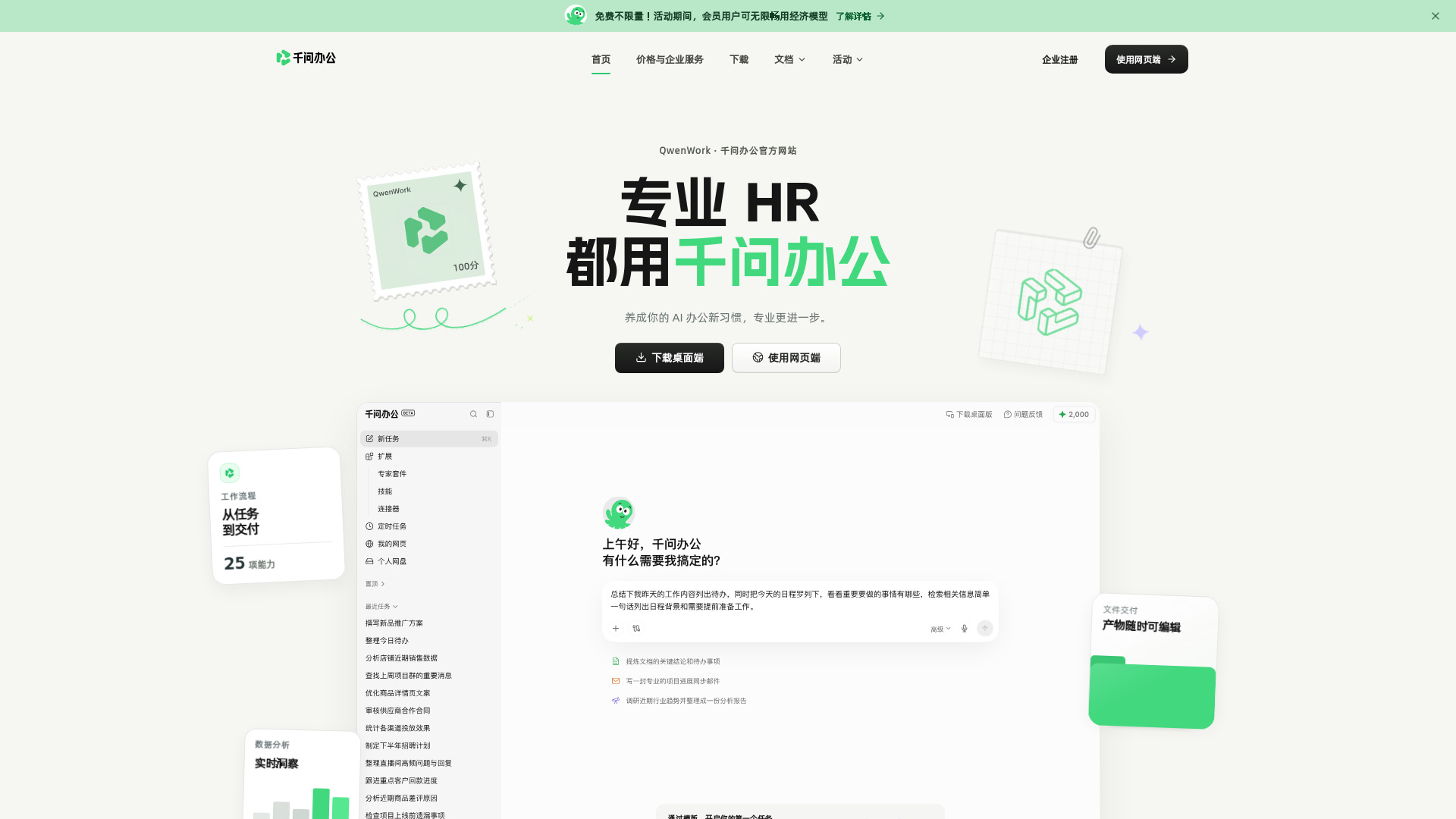
Qianwen Office is the closest match in this field guide because its enterprise collaboration feature list actually includes meetings. The larger proposition is a connected office environment: AI-generated and editable Word, Excel, PowerPoint, and HTML deliverables sit alongside messages, group chats, approvals, documents, and knowledge bases. That breadth could make it worth investigating if your small business wants collaboration and office production in one place. But do not infer meeting transcription, automated notes, or action-item extraction from the word "meetings." Those capabilities are not established here, so Qianwen earns the first look-not an unqualified meeting-assistant recommendation. The client is described as the primary starting point, and credit use varies by model and task, adding setup and usage management to the evaluation.
Best for
Office teams considering an integrated workspace for documents and collaboration.
Businesses that want to investigate a tool whose listed collaboration features include meetings.
Professionals creating and editing Office-format deliverables with AI assistance.
Limitations
Listed features do not confirm transcription, meeting summaries, or action items.
The web version is described as forthcoming or limited; the client is the primary starting point.
Credit consumption varies by model and task, so usage may need monitoring.
Shortlist signal: Add Qianwen Office if you want an office collaboration suite that includes meetings, and verify meeting capture and notes before treating it as your assistant.
2. Airtap

- Frequent travelers
- Free plan available
- Starts at Check vendor pricing
- Usage signal: 50.7K
Why it matters
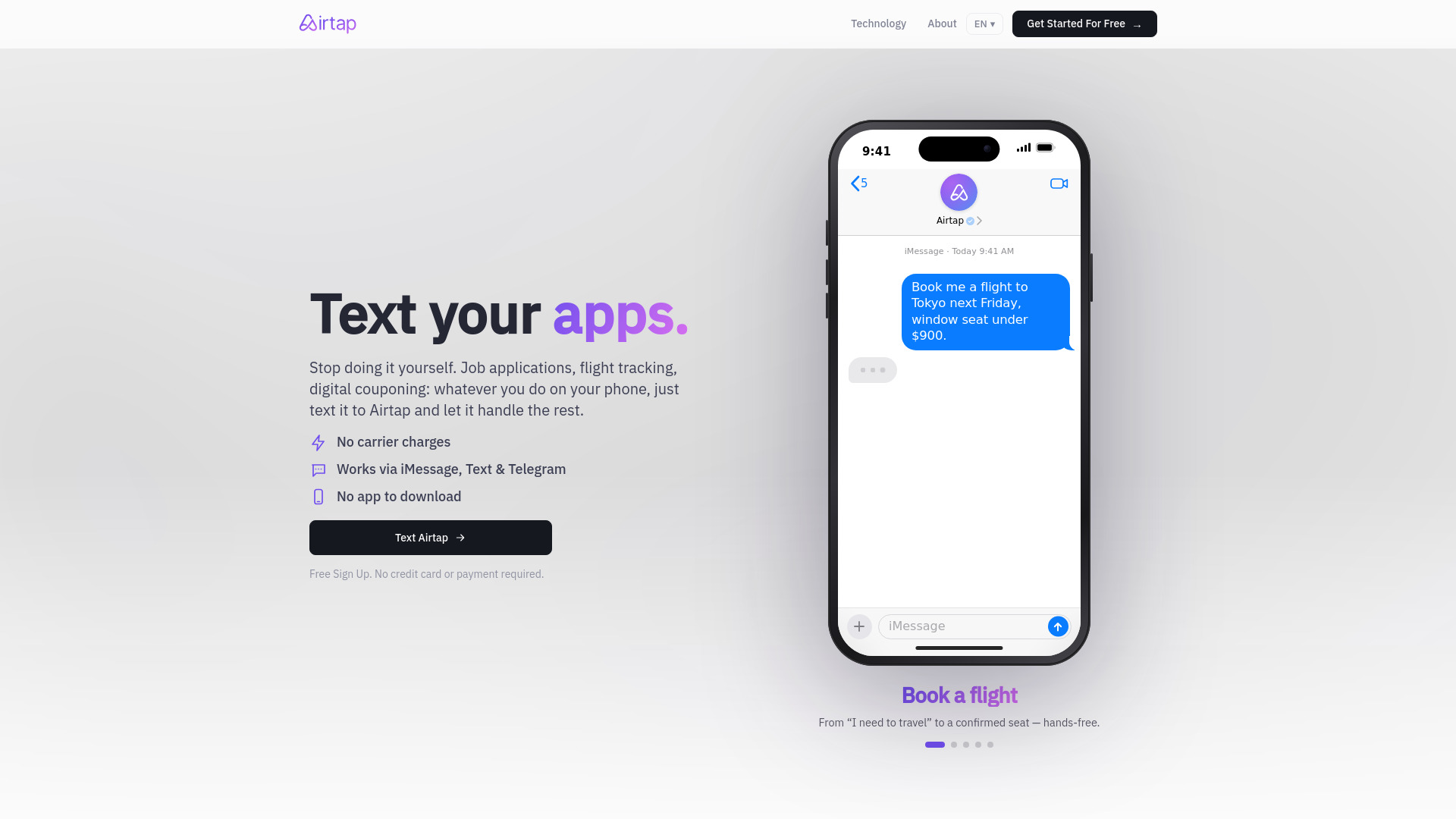
Airtap's distinctive angle is carrying out tasks inside real mobile apps after you send a plain-English request through iMessage, SMS, or Telegram. It can provision a cloud Android phone, and an Autopilot option connects to a user's own Android hardware. That makes it an adjacent automation option for a small business owner who handles operational work on a phone; it is not evidence of a meeting assistant. Nothing in the documented feature list says Airtap records calls, processes transcripts, or generates meeting notes. There is also a human-in-the-loop element: some tasks require approval or answers, and advanced dashboard access requires signing in. Consider it for mobile task execution around your workday, not as a substitute for capturing what was said in a meeting.
Best for
Frequent travelers managing tasks through mobile apps.
Users who prefer requesting app actions through familiar messaging platforms.
Android users interested in automation on a cloud phone or their own device.
Limitations
Meeting recording, transcription, and summaries are not listed capabilities.
Some tasks require user approval or additional answers.
Advanced dashboard access requires signing in, and pricing needs vendor confirmation.
Shortlist signal: Add Airtap only if mobile-app automation is your separate need; do not shortlist it as a meeting note-taker without confirmation of that workflow.
3. GenOffice

- Writers
- Free office apps; six file editors; local editing
- Starts at GenOffice: Free
- Usage signal: 113.4K
Why it matters
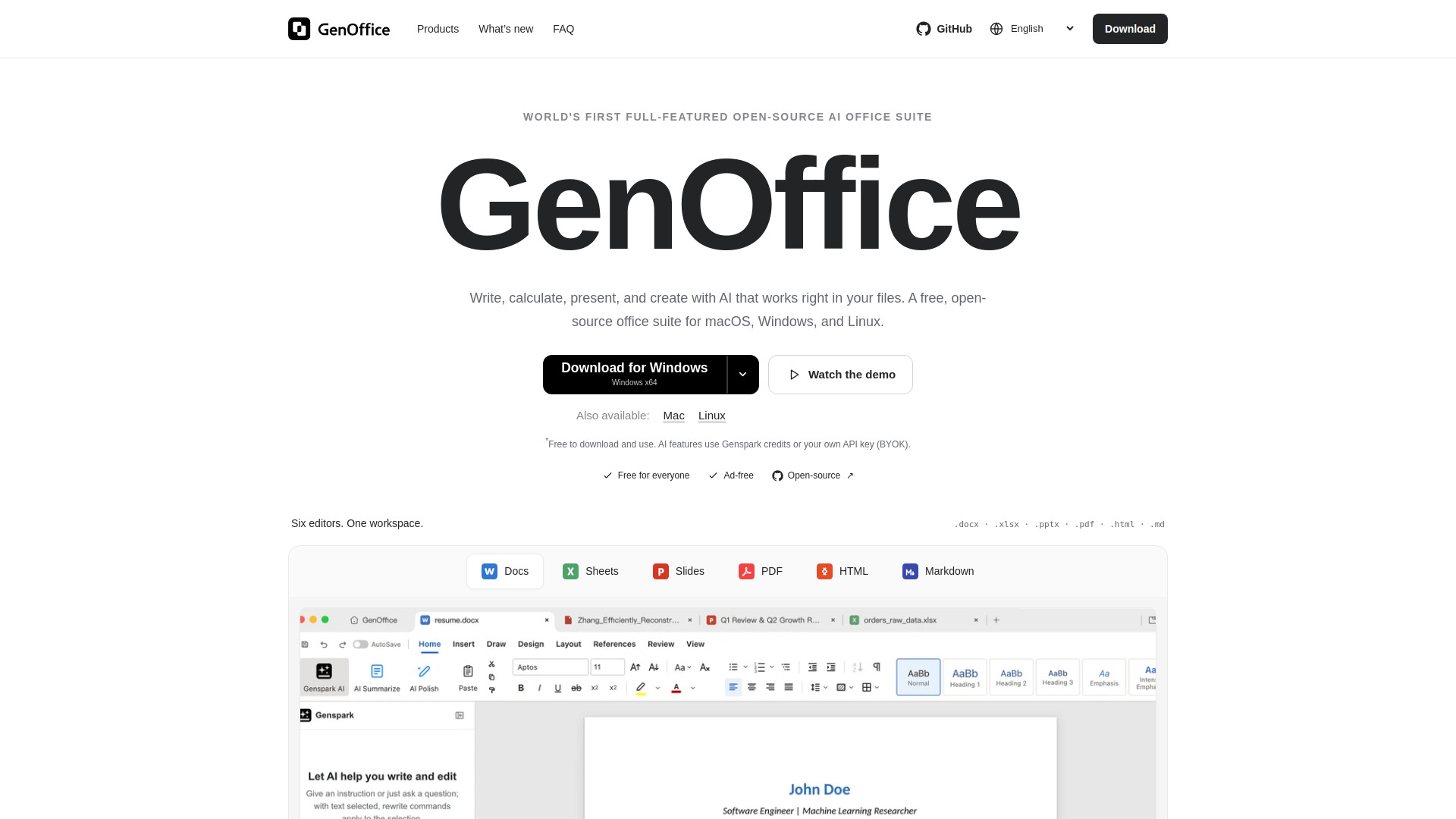
A meeting assistant is only useful if its output can join the team's real workflow. GenOffice may be relevant at the document end of that process: its desktop workspace includes editors for DOCX, XLSX, PPTX, PDF, HTML, and Markdown, with AI assistance for drafting, rewriting, spreadsheet tasks, presentations, and content. The DOCX editor is described as rewriting only changed content, which is a practical detail for people who want to preserve the rest of a document. Still, this is an office suite, not a documented meeting-capture tool. It could help refine notes after you have them, but the listed features do not say it creates those notes from a call. AI also depends on Genspark credits or a configured API key, and online requests send data to the selected AI service.
Best for
Writers and office users who edit several common file formats on desktop.
Teams that need help drafting or revising documents after a meeting.
Users who want local editing with optional AI rather than AI as a required step.
Limitations
Meeting recording, transcription, and automatic summaries are not listed.
AI features require Genspark credits or an API key; provider charges may apply.
Online AI requests involve sending data to the selected AI service.
Shortlist signal: Add GenOffice if editing the documents that follow meetings is your problem, not if you need software to capture the meeting itself.
4. Cue

- Frequent travelers
- Free plan available
- Starts at Check vendor pricing
- Usage signal: 54.0K
Why it matters
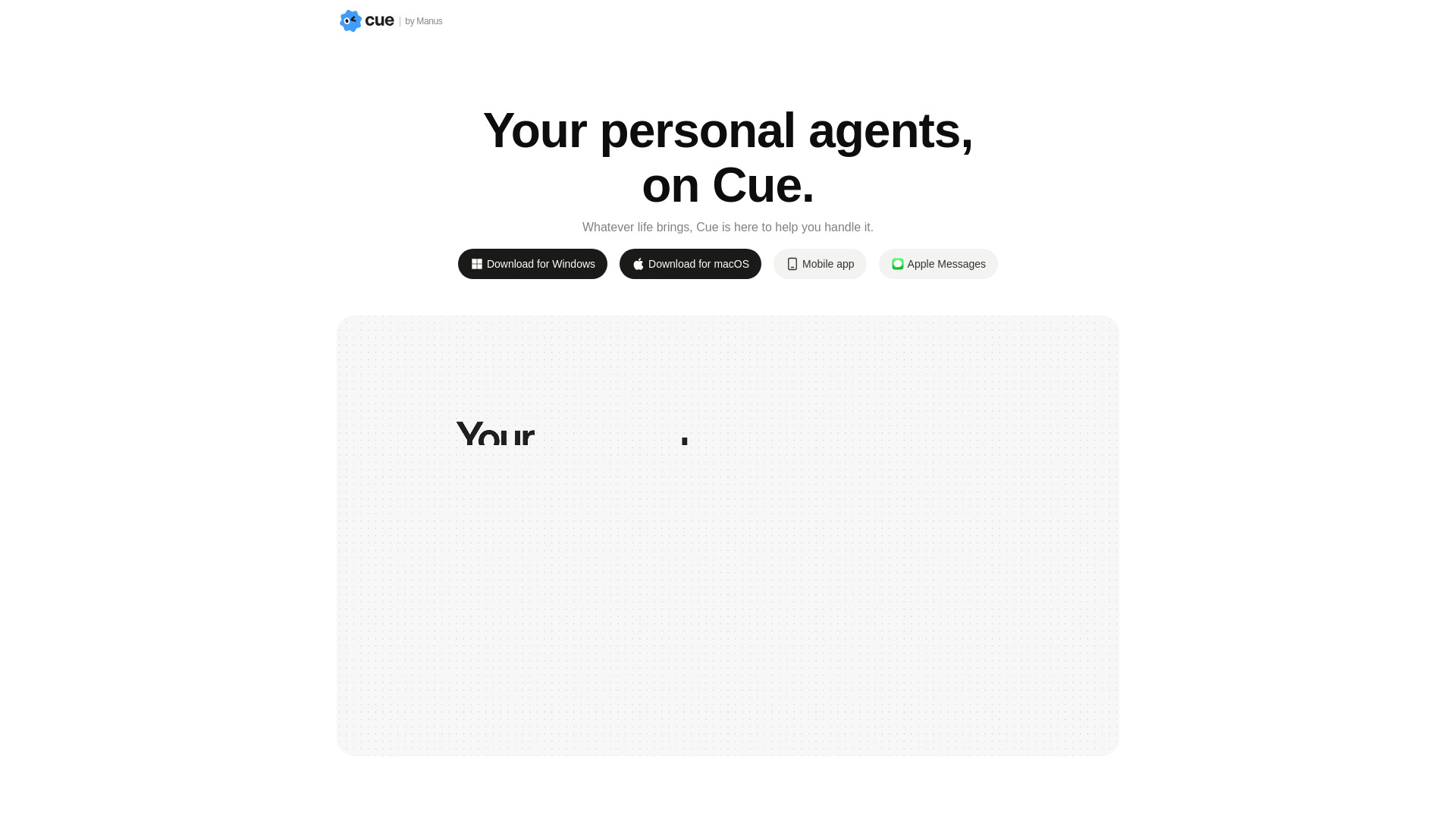
Cue is built around personal agents that can have their own email address, phone number, wallet, and computer workspace. Its listed use cases span travel, bookings, calls, messages, email, payments, scheduling, and research, with configurable tools, permissions, and approval boundaries. For a small business, that breadth makes it a possible companion for administrative work around meetings: arranging a booking or coordinating communications, for example. But a tool that can handle calls or scheduling is not automatically a meeting assistant. The documented facts do not confirm meeting recording, transcript analysis, or generated minutes. Cue also depends on connected services and granted permissions for some actions, so scope carefully what an agent can access before putting it into a business workflow.
Best for
Frequent travelers coordinating bookings and communications.
Users looking for a configurable agent across connected services.
Businesses that want to define permission and approval boundaries for delegated tasks.
Limitations
No listed feature confirms meeting transcription, summaries, or action-item extraction.
Some tasks require connecting services and granting permissions.
Pricing is not clear here; confirm the cost and available controls with the vendor.
Shortlist signal: Add Cue if you want an agent for administrative work around meetings, and verify any meeting-content workflow separately.
5. Apper - App & Website Builder

- Founders
- 5 messages/day; up to 20/month; 5,000 records; 100 MB
- Starts at Free: $0/month
- Usage signal: 18.8K
Why it matters
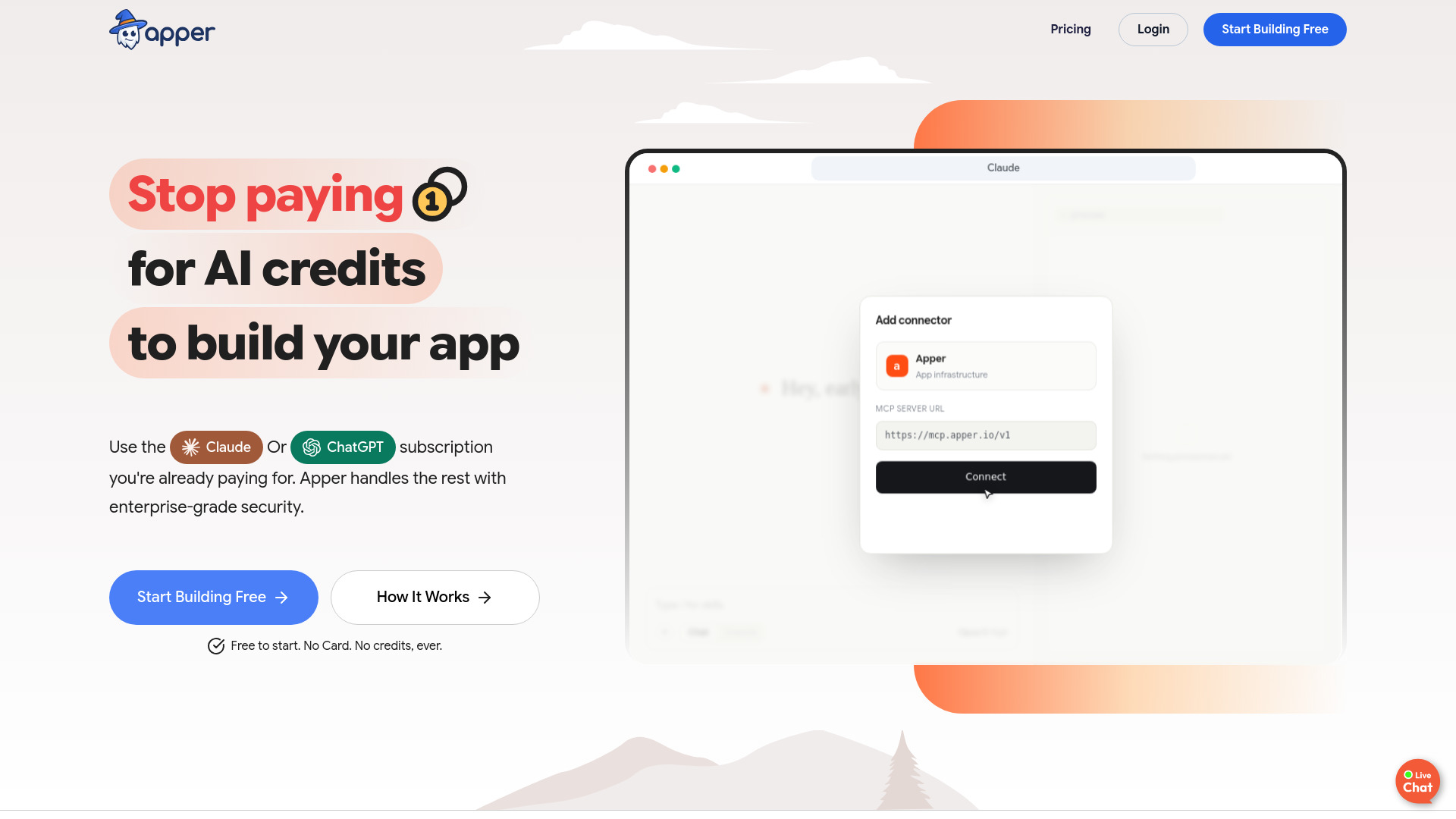
Apper is an app and website builder, not a ready-made meeting assistant. Its relevance is for a founder who has a specific workflow in mind and wants to build software using an existing ChatGPT or Claude subscription. It also provides managed authentication, data access controls, and backend infrastructure, while avoiding additional Apper AI-credit charges. That could be useful if a business wants to prototype a tailored internal tool around its own processes. It is not a shortcut to a working meeting assistant unless the desired app can actually be built and connected to the needed services; the listed capabilities do not say Apper provides recording or transcription out of the box. The free plan is tightly capped, and development depends on connecting a supported ChatGPT or Claude subscription.
Best for
Founders exploring a custom application for a defined business workflow.
Teams already using a supported ChatGPT or Claude subscription.
Builders who value managed authentication and backend infrastructure.
Limitations
It is an app builder, not a documented meeting transcription product.
Building depends on a supported ChatGPT or Claude subscription.
The free plan is limited to five messages per day, up to 20 per month, 5,000 records, and 100 MB of files.
Shortlist signal: Add Apper only if you intend to build a custom workflow and have verified the integrations and development effort it requires.
6. SiteDrop Live

- Small business owners
- 25 AI credits; one site; 7-day preview
- Starts at Free: $0
- Usage signal: 16.4K
Why it matters
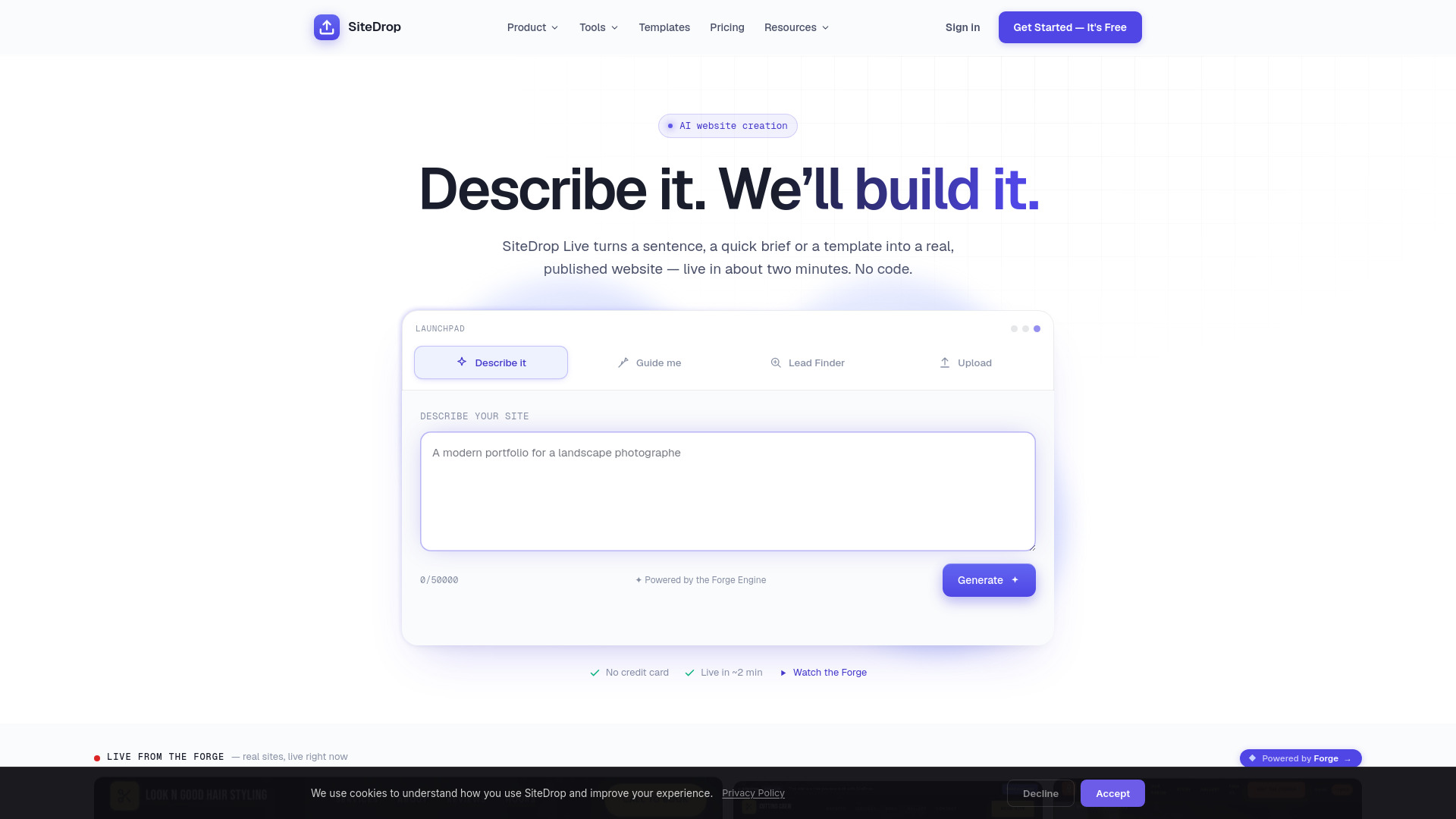
SiteDrop Live aims at a different small-business headache: getting a website published. It can create a site from a sentence or an upload, with hosting and publishing included; listed site features also include online bookings, WhatsApp customer chats, contact forms, and an own-domain option. That can help a business establish a place for customers to book or get in touch, but it doesn't answer what happened during an internal or client meeting. In a meeting-assistant comparison, the useful distinction is between booking a future appointment and capturing a conversation that already took place. The free plan includes one AI-built site and 25 credits, and its seven-day preview is limited, so test the editing and publishing experience against your real requirements before relying on the free option.
Best for
Small businesses that need a simple website and customer contact options.
Owners exploring prompt-based site creation without coding.
Businesses that want bookings or WhatsApp chats presented on a site.
Limitations
No listed features cover meeting transcription, summaries, or follow-up extraction.
The free plan is limited to one AI-built site and 25 AI credits.
The free seven-day preview is limited; verify what remains editable afterward.
Shortlist signal: Add SiteDrop Live to a website shortlist if customer-facing bookings are the goal, not to a meeting-notes shortlist.
7. TimeTuna
- Designers
- Up to 3 booking pages free
- Starts at Free: €0
- Usage signal: 3.9K
Why it matters
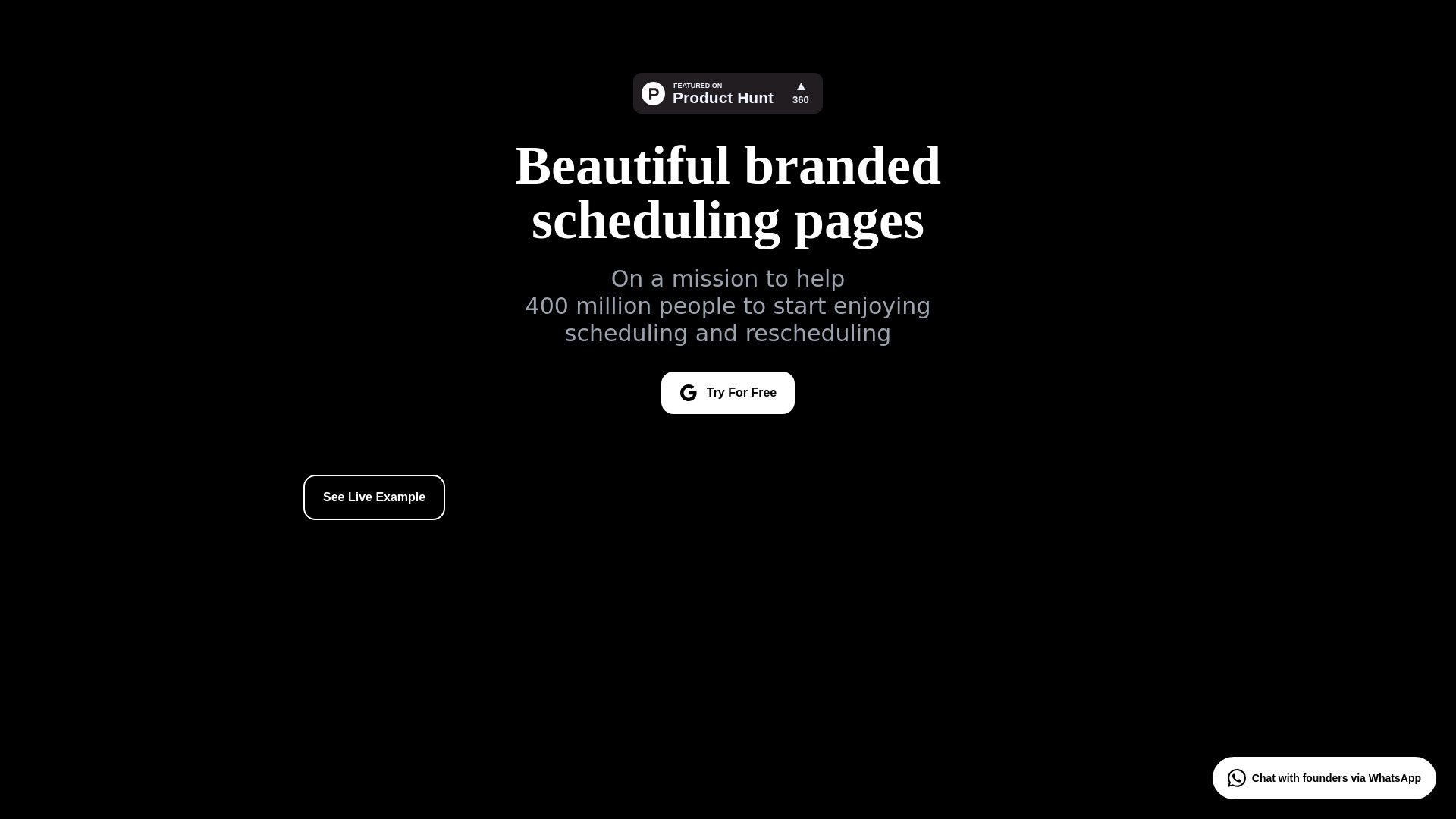
TimeTuna is the clearest scheduling specialist in this group. It offers real-time Google and Microsoft calendar sync, multiple meeting durations on one page, and customizable booking pages with branding options such as video backgrounds, avatars, and logos. That can make the appointment-setting part of a small business's client workflow more polished and easier to manage. It does not make TimeTuna a meeting assistant: booking a slot is not the same as recording the conversation, summarizing decisions, or tracking action items. Some advanced features are described as limited, while custom reminders, custom domains, and accepting payments are listed as coming soon for Pro. Check the current feature status rather than assuming a scheduling page includes a post-meeting workflow.
Best for
Designers or client-facing teams who care about branded scheduling pages.
Businesses coordinating availability across Google and Microsoft calendars.
Users who want several meeting lengths available from one booking page.
Limitations
Meeting recording, transcript generation, and post-call notes are not listed.
Several advanced features are limited, and some Pro features are marked coming soon.
Its value is in scheduling; it won't replace a tool that captures meeting content.
Shortlist signal: Add TimeTuna if booking and calendar coordination are the pain point, and pair it with a separately verified meeting assistant if needed.
8. Korgi
- Entrepreneurs
- 14-day free trial
- Starts at From $17/month for individuals
- Usage signal: 2.5K
Why it matters
Korgi focuses on what a team does after a plan exists: it can generate project boards and connect with Google Workspace and Microsoft 365 for actions involving files, events, contacts, and related work. Real-time collaboration and board sharing give teams a place to coordinate. That's potentially useful when a meeting has already produced notes and the hard part is organizing the resulting work. But the listed features don't say Korgi listens to meetings, transcribes discussion, or converts spoken commitments into tasks. Treat it as a possible follow-through layer, not the meeting assistant itself. The 14-day trial offers a way to explore the product, while some advanced features-including Zoom/Meet integration and shared templates-are restricted to higher tiers. Confirm what those integrations actually do before relying on them for meeting intelligence.
Best for
Entrepreneurs who want AI-generated project boards.
Teams using Google Workspace or Microsoft 365 to organize files, events, and contacts.
Collaborators who need boards they can share and update together.
Limitations
Meeting transcription and automatic action-item extraction are not established by the listed features.
Some advanced features, including Zoom/Meet integration, are limited to higher tiers.
The free Korgi College plan is restricted and time-limited.
Shortlist signal: Add Korgi if organizing project work after a meeting is the gap, and verify whether the tier you choose supports your meeting platform.
9. Bizboard Pro

- Solopreneurs
- 7-day full-access free trial
- Starts at Solo Pro: $15/month
- Usage signal: Usage signal not listed
Why it matters
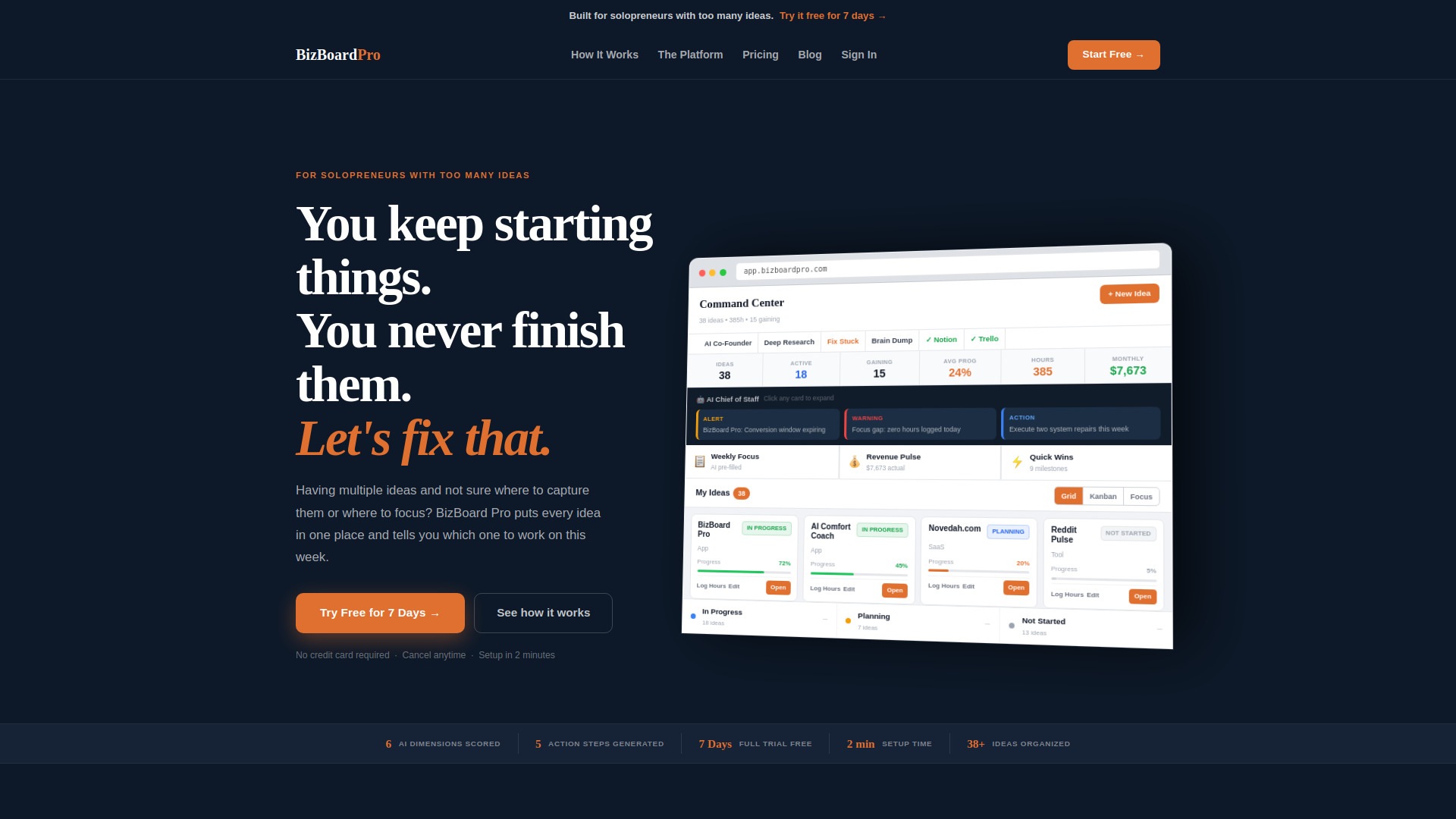
Bizboard Pro is a planning dashboard for entrepreneurs managing business ideas, not a meeting assistant. Its listed AI Idea Validator scores ideas across six dimensions and returns a build-or-stop verdict; its AI Chief of Staff scans ventures weekly for risks, opportunities, and work to prioritize. A persistent AI Co-Founder is also listed, though advanced features require a paid plan. For a solo business owner, those tools may help turn a strategic conversation into a broader venture plan if the user enters the relevant information. They do not establish automatic capture of meeting discussions or decisions. The free plan is limited to three idea boards, and the full-access trial lasts seven days. Consider it for business planning alongside meetings, not as an automated meeting record.
Best for
Solopreneurs comparing and prioritizing several business ideas.
Founders who want weekly recommendations about focus, risks, and opportunities.
Users looking for a structured venture dashboard rather than a general meeting tool.
Limitations
Meeting capture, transcription, and generated minutes are not listed.
The free plan is limited to three idea boards.
AI Co-Founder and full Command Center access require a paid plan.
Shortlist signal: Add Bizboard Pro if venture prioritization is your need; don't count on it to capture meetings without verifying that capability.
10. Chattide
- Students
- 5 messages/day; up to 2 image attachments/day
- Starts at Free: $0
- Usage signal: Usage signal not listed
Why it matters
Chattide provides conversational AI for creating, learning, and discovering, with image attachments and short- or long-term conversational memory options. That can make it a flexible general assistant for questions or visual tasks, but the listed feature set does not identify a meeting workflow. A team might use a general chat tool to work with information it supplies, but that is different from automatic meeting capture, a speaker-aware transcript, or reliable follow-up extraction. For a small business evaluating meeting software, the distinction is especially important: unless the tool can securely accept and process the relevant meeting content and produce the records you need, it is not a replacement for a purpose-built assistant. Chattide's free tier is limited to five messages per day and two image attachments per day.
Best for
Users who want a straightforward conversational AI assistant.
People asking questions about attached images.
Users who value short- or long-term conversational memory options.
Limitations
Meeting recording, transcription, summaries, and task extraction are not listed.
Free users are limited to five messages per day.
Free image attachments are capped at two per day.
Shortlist signal: Add Chattide for general AI chat, not for meeting assistance unless the vendor confirms a complete meeting workflow.
What to test before choosing
Before paying for a small-business meeting assistant, run the same real-world test across your finalists. A polished summary of a clean demo call is not enough; the tool must fit your meeting habits and produce a record your team can trust.
Capture: Confirm the platforms and meeting types it supports. Ask whether it joins calls, handles in-person conversations, or requires an uploaded recording.
Output: Check for the specific deliverables you need: transcript, summary, decisions, action items, or searchable notes. Don't treat these as interchangeable.
Accuracy: Test a call with multiple speakers, domain-specific terms, interruptions, and the languages your team uses. Review names and commitments manually.
Follow-through: See whether you can find, export, or share the notes where your team works. Verify any claimed integrations rather than assuming a calendar connection means notes sync too.
Privacy and consent: Understand what is recorded, where content is processed, who can access it, how long it is retained, and how meeting participants are notified.
Cost and limits: Ask about seats, recording minutes, storage, usage credits, trial restrictions, and what changes on a paid plan. Prices and limits can change, so verify them with the vendor.
Human review: Decide who checks the notes before they become a customer commitment or an internal task. An assistant can save time without becoming the final authority.
For the tools in this guide, begin by asking a direct vendor question: "Can your product record or process our meetings and generate the notes or action items we need?" If the answer is no-or the workflow depends on a feature that is not included in your plan-move on.
What to do next
First, write down the job you want the software to do: schedule meetings, capture what was said, summarize decisions, or move follow-up into a project system. Those are different buying requirements. If you need transcription or meeting summaries, look for products that explicitly document those capabilities and test them with a representative call. If your real bottleneck is scheduling, office collaboration, or project follow-through, the adjacent tools here may still be useful for that narrower job. Keep your shortlist honest: a high score or an AI label is not proof of meeting-assistant functionality.
Common mistakes when choosing from a complex top list
Treating scheduling as meeting intelligence. Booking a time is not the same as capturing the conversation or extracting next steps.
Assuming every AI product can summarize calls. Ask how meeting content enters the product and what it returns.
Reading a ranking score as category verification. A score doesn't establish that a tool performs the workflow you need.
Ignoring plan limits. Credits, message caps, trials, storage, and tier restrictions can change whether a tool is practical for a team.
Skipping privacy review. Meeting content can include customer, employee, or business-sensitive information. Confirm handling and access controls before recording.
Buying for a hypothetical workflow. Test your actual meeting type and follow-up process before asking the team to adopt another app.
FAQ
No. This comparison includes 10 candidates, but most are adjacent products such as office software, agents, scheduling, website creation, project management, or general AI chat. Qianwen Office lists meetings within a broader collaboration suite; the listed facts still do not confirm transcription or automated meeting summaries.