
The phrase top ai dubbing tools march points to a category that is broader than it first appears. Some products here translate and voice existing videos, while others create the audio, visuals, and production assets around a multilingual workflow. I compared 10 tools across dubbing quality, subtitle control, audio capabilities, workflow fit, pricing clarity, and practical limits. The result is a field guide for choosing the right tool rather than simply picking the highest score.
Start here
The fastest way to narrow this list is to decide whether you need to translate an existing video or create a new video with audio from scratch. EarDub and SoulDub are the clearest fits for the first job. The remaining products are broader visual studios or audio-enabled generation platforms; they become useful when dubbing is only one part of the production process.
Best overall match: EarDub for real-time YouTube dubbing, language learners, and viewers who want translated speech to stay aligned with the original speaker.
Best editing workflow: SoulDub for creators who need to translate subtitles, review the text, regenerate individual speech segments, and export a finished video.
Best for audio cleanup before voice work: Clumi AI, particularly when vocal removal or stem separation is part of the production workflow.
Best adjacent production workspace: MixVio AI for teams that want video, images, voiceovers, and music in one place.
Best for native audio generation: FLUX 3 when a project needs generated dialogue and sound effects alongside video.
Here is the catch: several highly ranked entries are not dedicated dubbing applications. They are unexpected alternatives for multilingual video teams that also need to generate scenes, audio, or supporting assets. That distinction matters more than a one-point score difference.
Segment comparison
| Segment | Strongest fit | What it does well | Main trade-off |
|---|---|---|---|
| Real-time video dubbing | EarDub | Voices recorded YouTube videos in sync and supports 75+ languages | Free usage is capped; caption-free videos require paid access |
| Subtitle-led translation | SoulDub | Lets creators review, edit, and regenerate translated subtitle segments | Free translations are limited to one minute and 500 MB uploads |
| Audio preparation | Clumi AI | Removes vocals and separates stems quickly in a browser | Uploads are limited to 10 minutes and 100 MB |
| Generative video and audio | FLUX 3 | Creates video with synchronized dialogue and sound effects | Video features are still in early access and there is no listed trial |
| Multi-asset production | MixVio AI | Combines video, image, voice, and music generation | Welcome credits expire after seven days and free outputs carry disclosures |
Shortlist paths
| Your situation | Start with | Why |
|---|---|---|
| You watch or publish recorded YouTube content in multiple languages | EarDub | Real-time dubbing follows the speaker and rebuilds captions into fuller sentences |
| You need to inspect translated copy before publishing | SoulDub | Subtitle text can be edited, then speech can be regenerated by segment |
| You are building a video workflow around AI agents | Media.io CLI | Image and video generation can be accessed from an agent environment |
| You want one workspace for voice, music, images, and video | MixVio AI | The product covers several production stages instead of dubbing alone |
| You need an inexpensive way to test high-resolution video with audio | Try Minimax H3 | Includes 40 welcome credits and native 2K video with synchronized stereo audio |
Ranking snapshot
| Rank | Tool | Score | Best for | Starting price |
|---|---|---|---|---|
| #1 | EarDub | 92/100 | Language learners | Free |
| #2 | Media.io CLI | 91/100 | AI agent users | Free AI image generation |
| #3 | SoulDub | 91/100 | Video creators | Free: $0/month |
| #4 | Clumi AI | 91/100 | Music producers | 1-Month Plan: $9.99 |
| 5-6 | FLUX 3 and Flux 3 AI | 89/100 | Creators and content creators | From $13.90/month |
| 7-10 | varg.ai, MixVio AI, Seedance 3.0, and Try Minimax H3 | 87-89/100 | Production teams | Free to $29.90/month |
How we grouped and ranked the list
This is a complex category, so a simple feature-count ranking would be misleading. I gave the most weight to the actual multilingual workflow: whether a tool can translate spoken content, keep audio aligned, preserve usable context, and give the operator enough control to fix mistakes. Subtitle review and segment-level regeneration count for a lot because a single awkward line can make an otherwise polished dub feel unusable.
I then separated direct dubbing products from adjacent creation tools. EarDub and SoulDub receive credit for solving the translation problem directly. Tools such as FLUX 3, MixVio AI, and Seedance 3.0 rank well for broader production depth, but they should not be mistaken for one-click replacements for a dedicated translation editor.
Finally, I considered practical friction: free quotas, upload caps, account requirements, setup complexity, credit expiry, and whether pricing is easy to understand. Usage signals helped provide market context, but they did not override workflow fit. That is why a smaller specialist can outrank a much larger creative platform.
Ranked field notes
1. EarDub

- Language learners
- 30 minutes/day and 180 minutes/month
- Starts at Free
- Usage signal: 4.5K
Why it matters
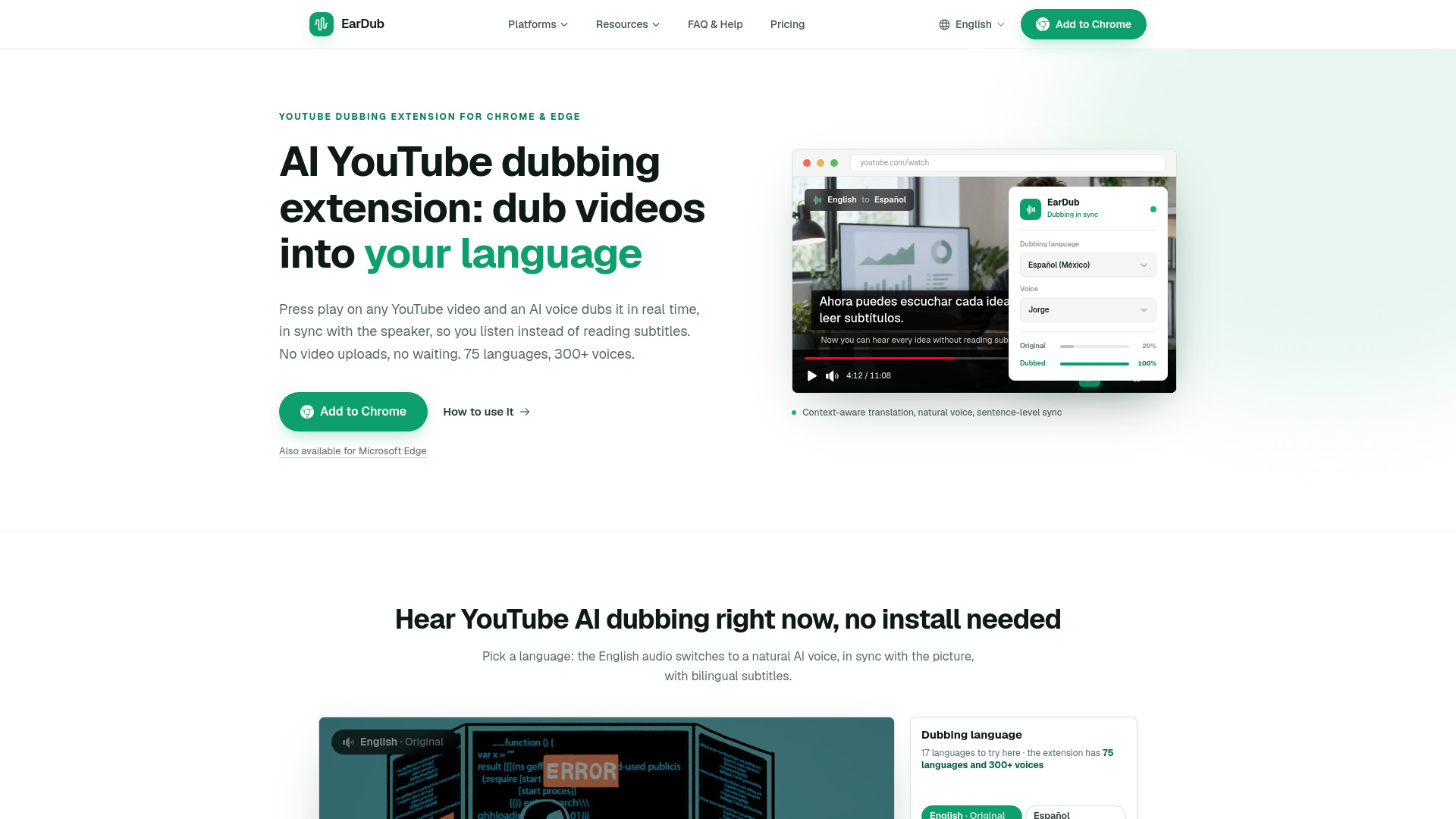
EarDub is the closest match to what most people mean by AI dubbing software: it takes a recorded YouTube video and voices it in another language while staying in sync with the speaker. The context-aware translation is especially useful because it rebuilds auto-captions into full sentences instead of treating every caption fragment as an isolated translation. With more than 300 voices, regional accents, and support for 75+ languages, it offers meaningful choice without forcing viewers into a full production suite.
Best for
Language learners watching lectures, tutorials, and interviews
YouTube viewers who need real-time spoken translation
Publishers testing multilingual access without re-editing every video
Limitations
The free plan is limited to 30 minutes per day and 180 minutes per month
Videos without captions require a paid plan
It is oriented around recorded YouTube viewing rather than a full export-and-publish studio
Shortlist signal: Add EarDub first when your main job is listening to existing YouTube videos in another language with synchronized speech.
2. Media.io CLI

- AI agent users
- Free unlimited AI image creation
- Starts at Free AI Image Generation: Free
- Usage signal: 3.3M
Why it matters
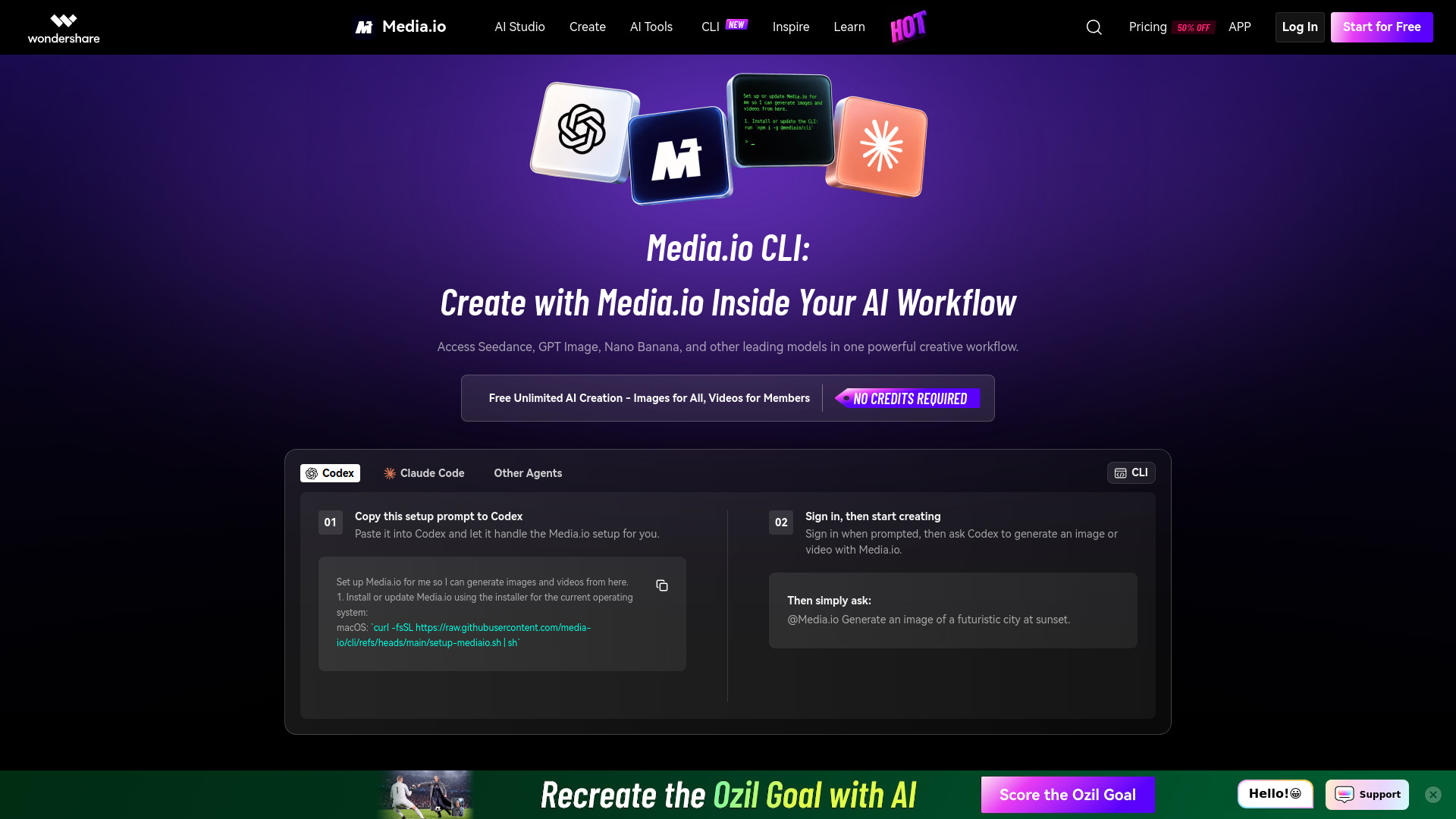
Media.io CLI is a surprising entry in a dubbing-oriented list because it is not a dedicated speech translation editor. Its value is operational: it brings image and video generation into AI agent workflows and provides access to multiple creative models through one setup. For a team building localized content programmatically, that can be useful when translated voice is only one step among generated visuals, variants, and supporting assets.
Best for
Developers and advanced creators working in Codex or Claude Code
Teams assembling repeatable AI media workflows
Users who want multiple image and video models behind one setup
Limitations
CLI setup requires installation and account authentication
Some setup steps may require browser sign-in or permission approval
It is not a dedicated subtitle review or dubbing timeline
Shortlist signal: Choose Media.io CLI when multilingual video production is part of a larger agent-driven content pipeline, not when you only need to dub one file.
3. SoulDub

- Video creators
- 10 credits/month with editable translated subtitles
- Starts at Free: $0/month
- Usage signal: 42
Why it matters
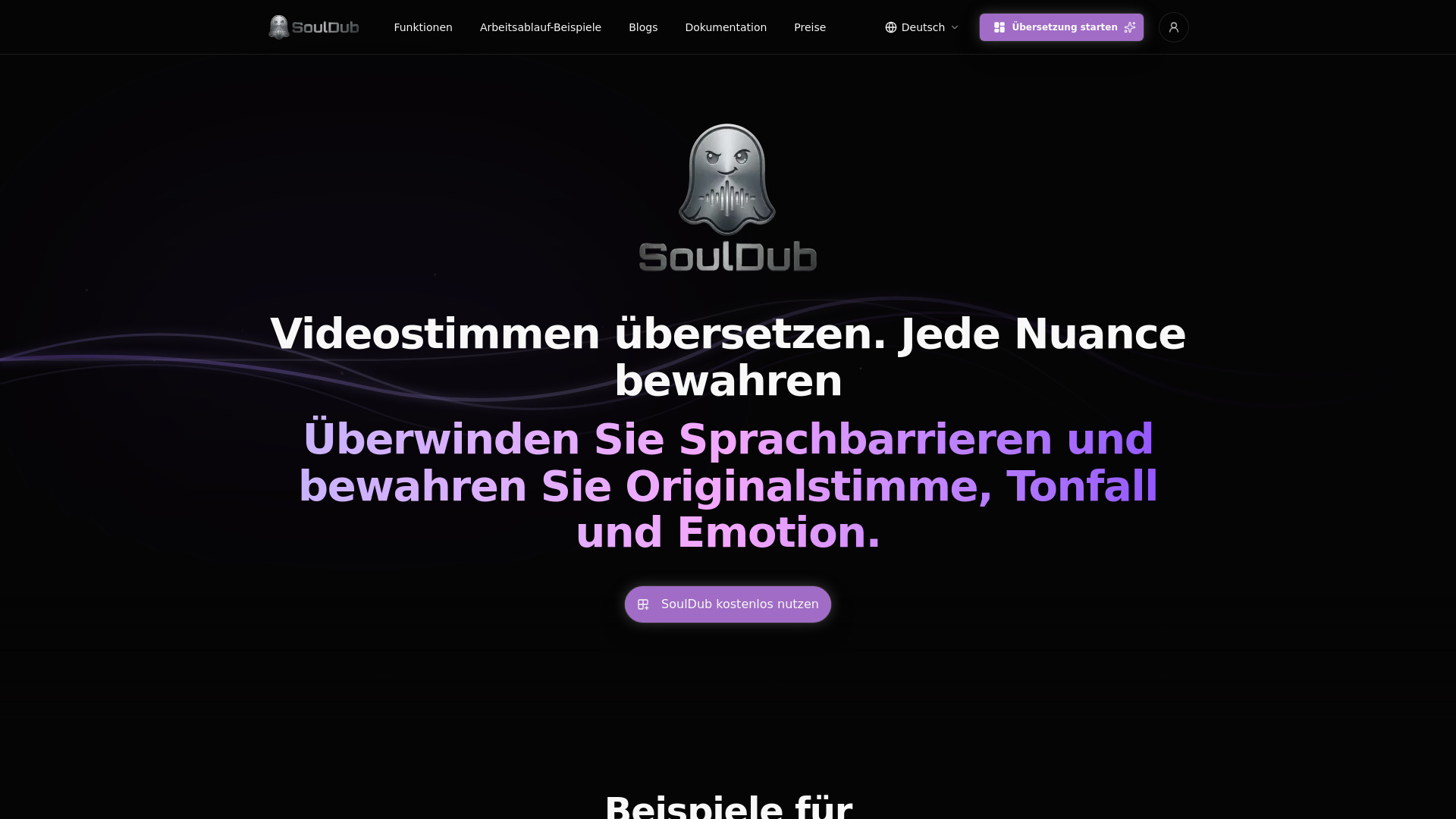
SoulDub takes the editorial step many automatic dubbing tools skip: it lets you inspect the source and translated subtitle text before committing to the final voice. After editing, you can regenerate speech for an individual subtitle segment instead of rerunning an entire project. That makes it a strong fit for creators who care about names, technical terms, jokes, or brand language and want a correction loop inside the video editor.
Best for
Video creators translating short-form or educational content
Editors who need manual control over translated wording
Projects where only a few spoken segments need re-recording
Limitations
The free plan limits each translation to one minute
Uploads on the free plan are capped at 500 MB
Paid task duration is limited to 30 minutes
Shortlist signal: Put SoulDub on the shortlist when subtitle accuracy and segment-level corrections matter as much as the generated voice.
4. Clumi AI

- Music producers
- 3 free files; no login; up to 10 minutes
- Starts at 1-Month Plan: $9.99
- Usage signal: 322.7K

Why it matters
Clumi AI earns its place as an adjacent audio tool rather than a classic dubbing platform. Vocal removal and stem separation can help prepare a soundtrack, isolate dialogue, or clean up material before a creator adds translated speech. It is fast, browser-based, and beginner-friendly, which makes it practical for small audio tasks where installing a full editor would be excessive.
Best for
Music producers separating vocals and instrumental tracks
Creators preparing audio before a voiceover or language version
Beginners who want quick online processing without an account
Limitations
Free usage is limited
Uploads are capped at 10 minutes and 100 MB
Its core tools focus on audio editing rather than spoken-language translation
Shortlist signal: Choose Clumi AI as a supporting tool when audio separation is the bottleneck in your dubbing workflow.
5. FLUX 3

- Creators
- Starts at Basic: $29.90/month or $179.40/year
- Usage signal: 7.2K

Why it matters
FLUX 3 approaches multilingual video from the creation side. Its unified model handles images, video, and audio, with native sound effects and dialogue synchronized to generated video. That makes it relevant when you are not simply translating an existing speaker but creating a new localized scene, explainer, or promo with dialogue from the beginning. The text-to-video, image-to-video, video-to-video, and keyframe-to-video options also give creators several ways to build a shot.
Best for
Creators making new video scenes with dialogue and sound effects
Teams combining reference images with generated motion
Projects where audio generation belongs inside the visual workflow
Limitations
Video features are in early access
No free plan or trial is listed
It is a generative studio, not a conventional translation and subtitle editor
Shortlist signal: Pick FLUX 3 when you need newly generated multilingual scenes with synchronized audio rather than a literal dub of an existing edit.
6. Flux 3 AI - Image and Video Generator

- Content creators
- Free credits for image and video generation
- Starts at Basic: $13.90/month
- Usage signal: 6.5K
Why it matters
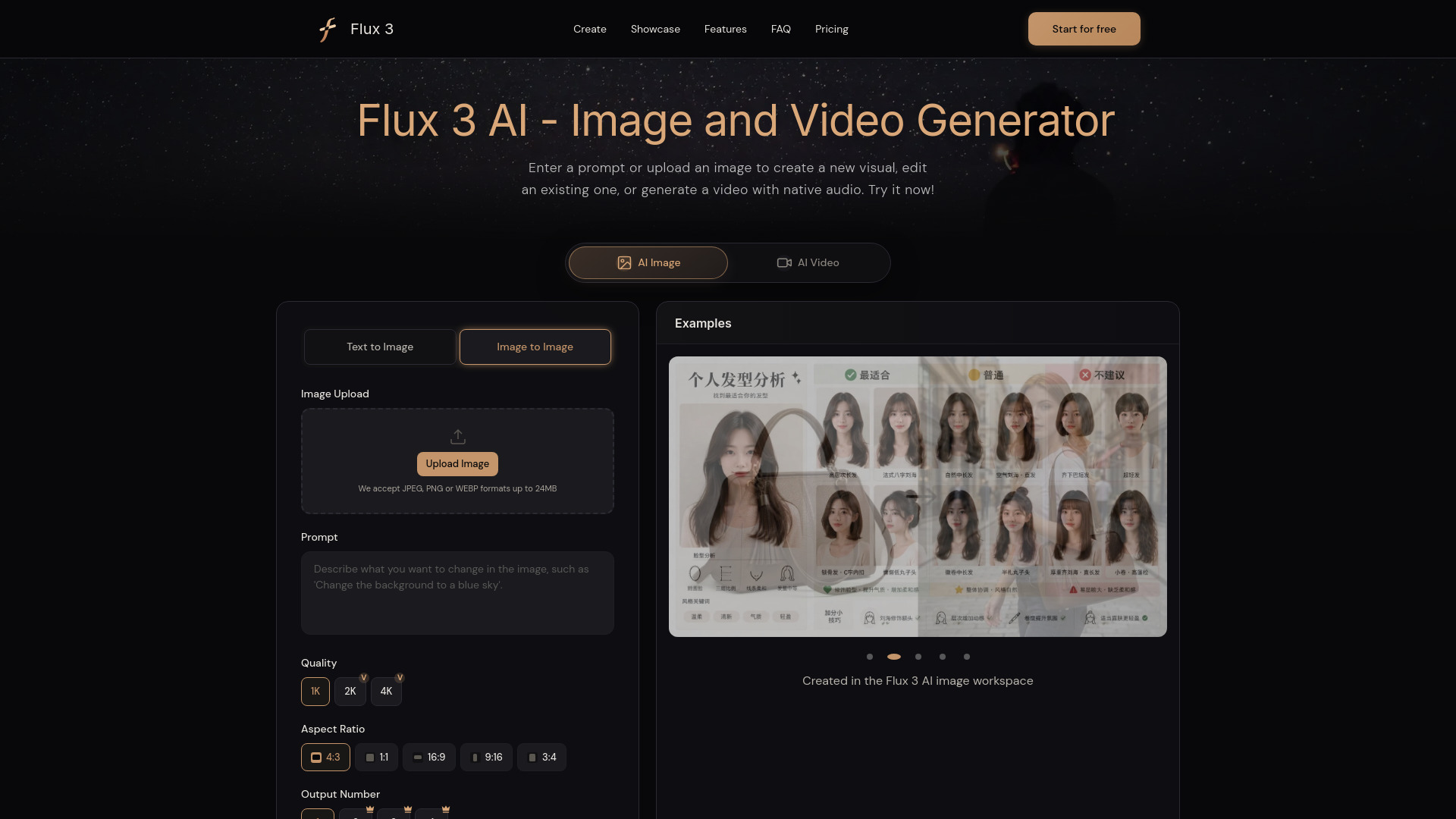
This Flux 3 workspace is useful for creators who want to move between text prompts, uploaded references, video generation, and native synchronized audio. It is an adjacent alternative to a dubbing editor: rather than translating a finished talk, it can help produce a new version with matching visual and audio direction. The multiple input types are the key attraction for teams that work from storyboards, stills, or existing clips.
Best for
Content creators producing visual variants for different markets
Teams starting from text, images, video, or keyframes
Users who want image, video, and audio tools in one workspace
Limitations
Free use is credit-limited
The exact free credit amount is not specified
It does not present the same subtitle editing workflow as SoulDub
Shortlist signal: Consider Flux 3 AI when localization includes recreating visuals and audio, not just translating the original dialogue.
7. varg.ai

- Marketing teams
- Brief-to-video production and upfront render estimates
- Starts at Free: $0/month
- Usage signal: 8.4K
Why it matters
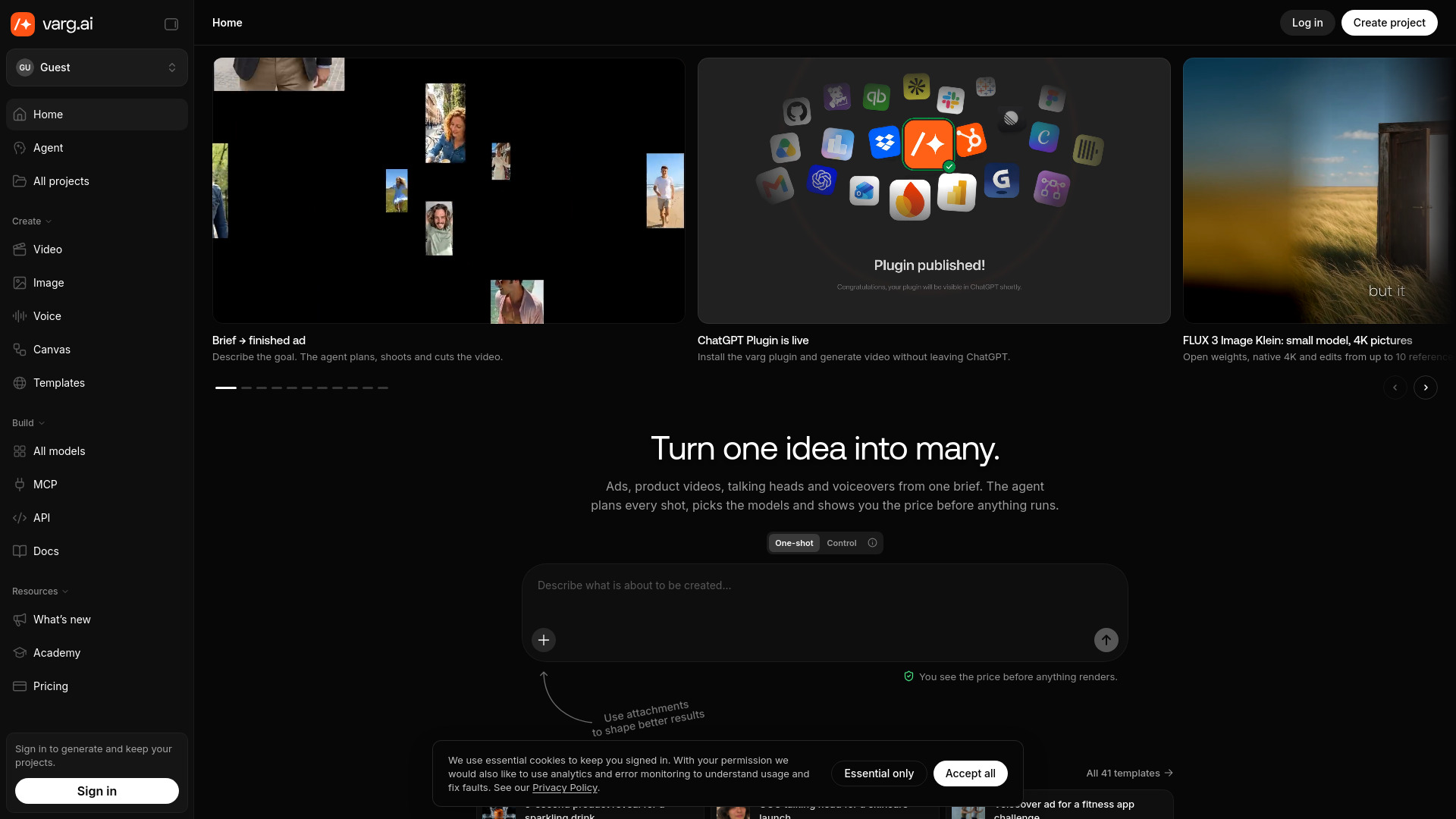
varg.ai is built around the planning problem: turn a brief into a production plan, select from more than 200 AI models, and show estimated costs before rendering. That approach can help marketing teams compare routes before spending credits, especially when a localized campaign needs several visual and audio treatments. It is less useful as a specialist dubbing desk, but compelling as an orchestration layer for larger AI video projects.
Best for
Marketing teams producing multiple campaign concepts
Users who want model choice behind one API key
Teams that need cost estimates before rendering
Limitations
Generating and saving projects requires signing in
No free generation quota or free plan is specified
The product's emphasis is brief-to-video production rather than subtitle translation
Shortlist signal: Use varg.ai when planning and comparing AI video production routes is more important than fine-grained dialogue correction.
8. MixVio AI

- Content creators
- 20 welcome credits valid for 7 days
- Starts at Free: $0
- Usage signal: 2.8K
Why it matters
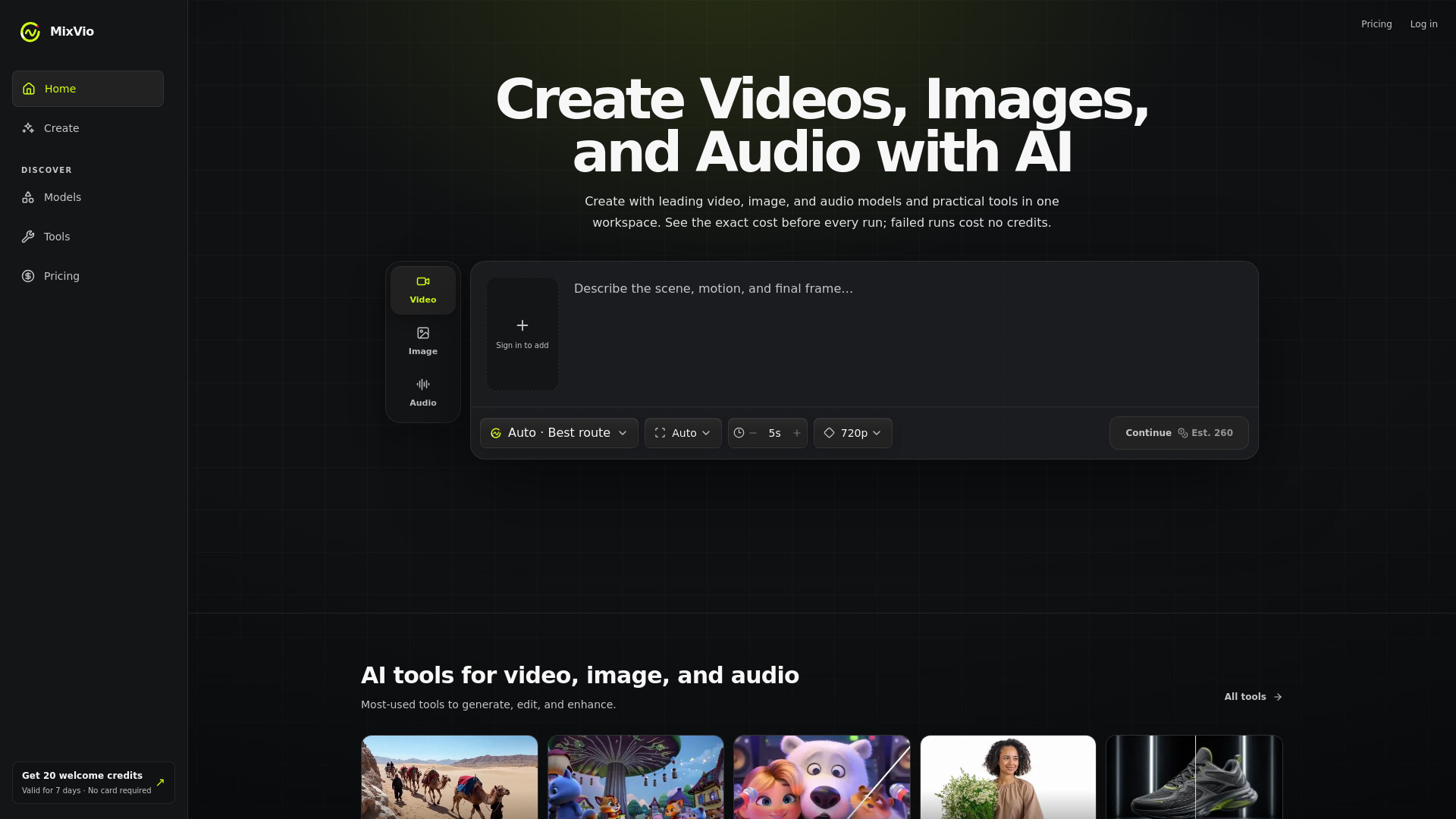
MixVio AI makes sense for creators who do not want to stitch together separate tools for video, images, voiceovers, and music. It can generate video from text and reference images, edit and upscale images, remove backgrounds, and produce voice and music assets. For localized campaigns, the benefit is a single workspace for rebuilding the surrounding media after a script has been translated.
Best for
Content creators producing complete social packages
Small teams needing voice, music, image, and video generation together
Users experimenting with several current AI models
Limitations
The 20 free credits expire after seven days
Free outputs include image watermarks and audible voiceover disclosures
It is broader than dubbing, so dedicated subtitle review is not its central workflow
Shortlist signal: Add MixVio AI when a dubbed voiceover is only one asset in a larger video and social-content package.
9. Seedance 3.0

- Marketing professionals
- AI video, image, music, and voice tools
- Starts at Starter Monthly: $29.90 per month
- Usage signal: Usage signal not listed
Why it matters
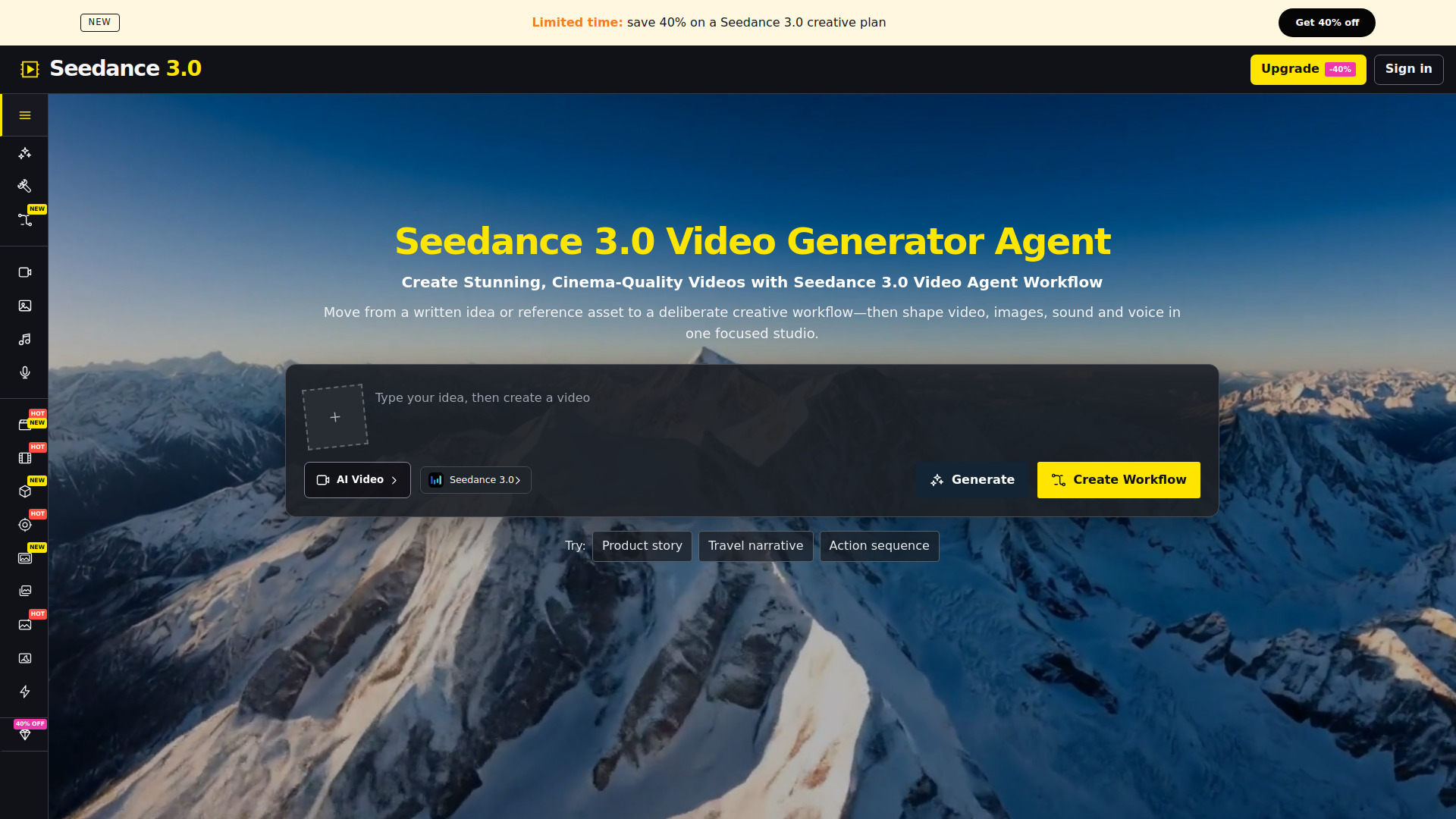
Seedance 3.0 brings video, image, music, and voice generation into one workspace and exposes controls for duration, resolution, models, and reference assets. Those controls are useful for marketers who need to create several localized variations and want to understand what each render costs before generating it. It belongs in this guide as a broader visual studio, not as a replacement for a specialist voice-translation editor.
Best for
Marketing professionals building multi-format campaign assets
Teams comparing several AI video models
Users who need duration and resolution controls before generation
Limitations
No free generation quota is specified
Video credit costs vary with duration, resolution, and other settings
Usage signal is not listed, so market traction is harder to compare directly
Shortlist signal: Choose Seedance 3.0 when controlled, credit-aware generation matters more than a dedicated dubbing timeline.
10. Try Minimax H3

- Content creators
- 40 free credits with native 2K video and stereo audio
- Starts at Starter: $5.83 per month
- Usage signal: Usage signal not listed
Why it matters
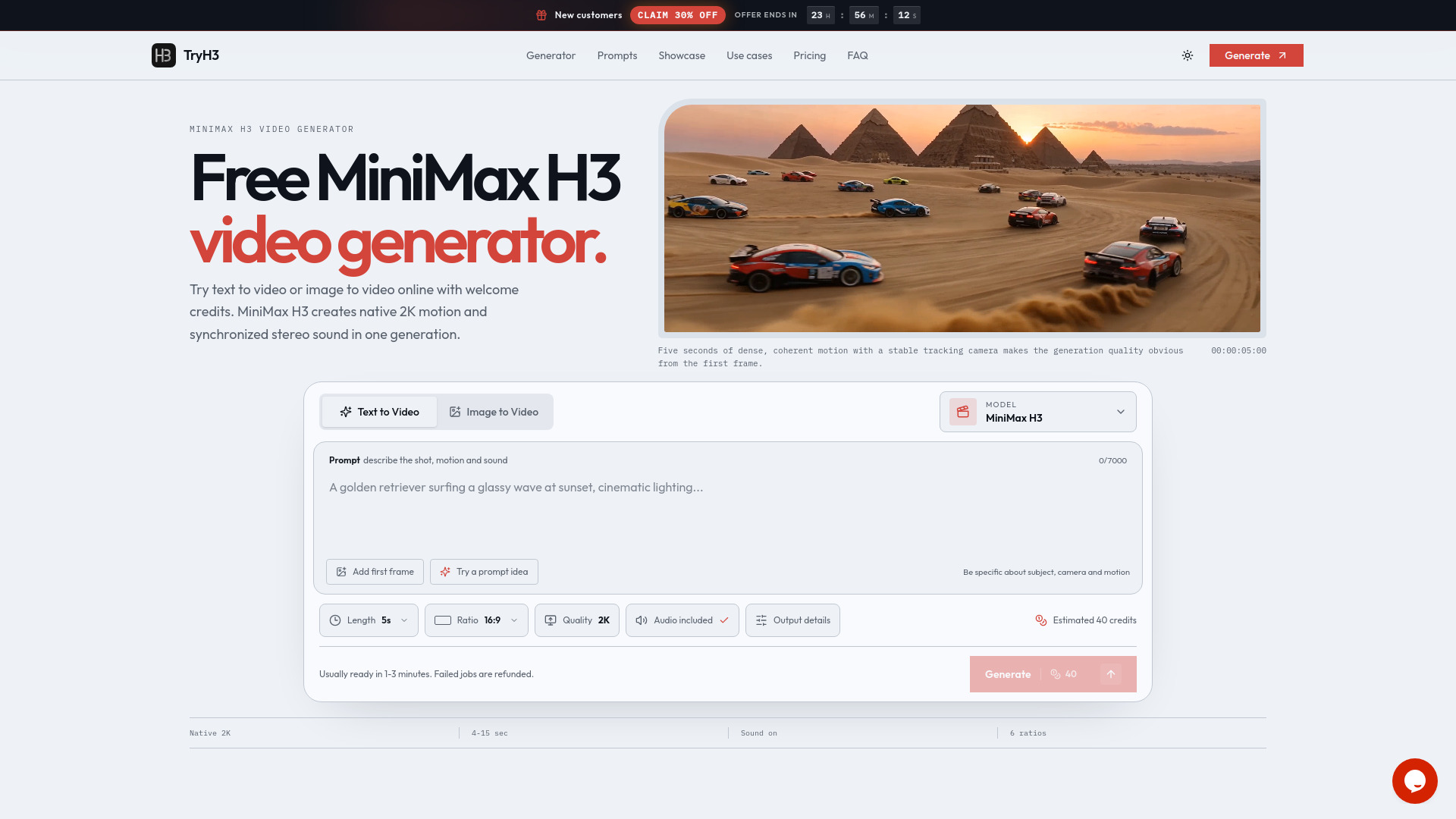
Try Minimax H3 is a focused way to test high-resolution AI video with audio included. It supports text-to-video and image-to-video generation, accepts several reference types, and produces native 2K video with synchronized stereo sound. That does not make it a conventional dubbing tool, but it is a useful option when the goal is to create a fresh localized visual rather than preserve every frame of an original production.
Best for
Content creators testing high-resolution generated video
Projects that need synchronized stereo audio in the output
Users starting from text, images, first frames, or last frames
Limitations
Free credits are limited and intended for evaluation
An account is required to access the welcome credits
It does not offer the subtitle editing and translation controls of a dedicated dubbing platform
Shortlist signal: Try Minimax H3 when a low-cost, audio-enabled video generation test is more useful than direct voice translation.
What to test before choosing
Do not judge a dubbing tool with a clean, slow sentence alone. Use a short sample that exposes the problems you will face in production.
- 1
Test names and specialist vocabulary. Include product names, place names, acronyms, and terms that should remain untranslated. Check whether you can correct them without rebuilding the entire project.
- 2
Test timing around interruptions. Use a clip with pauses, overlapping speech, or a speaker who changes pace. Listen for whether the translated voice drifts from the visual action.
- 3
Test subtitle context. A tool that translates caption fragments literally may produce awkward speech. Compare the full sentence output, not just word-level accuracy.
- 4
Test revision cost. Change one line and see whether the tool regenerates one segment or reruns the whole video. SoulDub is particularly strong on this workflow.
- 5
Test the free allowance honestly. Upload a file close to the duration and size you expect to use. Free minutes, credits, upload caps, and expiry rules can change the economics quickly.
- 6
Test the final deliverable. Confirm what you can export and whether the output includes watermarks, audible disclosures, or other restrictions. Do not assume a generated preview equals a publishable master.
- 7
Test the workflow your team will actually use. A CLI can be excellent for an engineer and frustrating for an editor. Conversely, a browser editor may be ideal for one-off work but difficult to automate at scale.
For buyers searching for a top ai powered video translation service, the deciding test is usually not the number of supported languages. It is whether the tool gives you enough control over timing, terminology, and corrections to publish confidently.
What to do next
Start with one representative video and define the acceptance criteria before comparing outputs. Write down the required languages, approximate monthly minutes, maximum upload size, desired export format, and whether a human must approve every subtitle line.
Then run the same clip through EarDub and SoulDub if you are translating existing content. Use EarDub to assess synchronized listening and language coverage; use SoulDub to assess editorial control. If the project also requires new scenes, music, or visual variants, add one broader workspace such as MixVio AI, FLUX 3, or Seedance 3.0 rather than forcing a dedicated dubbing tool to do every job.
Finally, verify current pricing and usage rules at checkout. Credit systems, early-access limits, and free quotas are particularly likely to change in AI video products. The best shortlist is the one that survives a real sample, a real correction, and a realistic monthly workload.
Common mistakes when choosing from a complex top list
Treating every video-and-audio product as a dubbing tool. Native audio generation is not the same as translating an existing speaker.
Ranking languages instead of workflow quality. Broad language coverage matters only if timing, sentence context, and voice quality hold up in your target language.
Ignoring human review. Names, legal language, humor, and industry terminology still need a correction path.
Confusing a free preview with a free production plan. Quotas, credit expiry, upload caps, watermarks, and disclosures can make a trial unusable for a real project.
Overlooking setup friction. CLI authentication, browser permissions, and required sign-ins matter when several people need to operate the workflow.
Comparing monthly prices without comparing units. A subscription priced per month may still be expensive if it provides few minutes, credits, or renders.
Using market traffic as a quality score. A popular general-purpose platform may be a worse fit than a smaller tool with better subtitle controls.
Skipping the final export test. A convincing in-app preview is not enough; check the actual output before committing to a production workflow.
FAQ
EarDub is the strongest starting point when you need to listen to recorded YouTube videos in another language. It offers real-time synchronized dubbing, context-aware translation, 75+ languages, and more than 300 voices. SoulDub is the better first test when you need to edit translated subtitles and regenerate individual speech segments.